Table of Contents >> Show >> Hide
- So… can you pay yourself on Venmo?
- What people usually mean by “Venmo myself”
- Workaround #1: The “Cash-Out Carousel” (Use Venmo’s balance tools, not a self-payment)
- Workaround #2: The “Trusted Middleman Loop” (Create a record without breaking the rules)
- Two “workarounds” you should skip (unless you enjoy account headaches)
- If your real goal is “move money between banks,” here are simpler options
- Safety checklist (because scammers love payment apps)
- Taxes and reporting: will “Venmoing” trigger a 1099-K?
- Quick FAQ
- Conclusion
- Real-World Experiences & “What Actually Happens” (Extra )
You know that feeling when money is technically yours, but it’s stranded on the wrong financial island?
Maybe it’s sitting in your Venmo balance, maybe it’s in Bank A and you need it in Bank B, or maybe you just want a clean
“paper trail” for budgeting without doing a whole interpretive dance with ACH transfers.
Naturally, you think: “Fine. I’ll just Venmo myself.”
And Venmo, in its most polite corporate voice, says: Absolutely not.[1]
The good news: while you can’t literally send a Venmo payment to yourself, you can usually accomplish the reason you wanted to
with two legit, practical workarounds that don’t involve setting your account on fire.
So… can you pay yourself on Venmo?
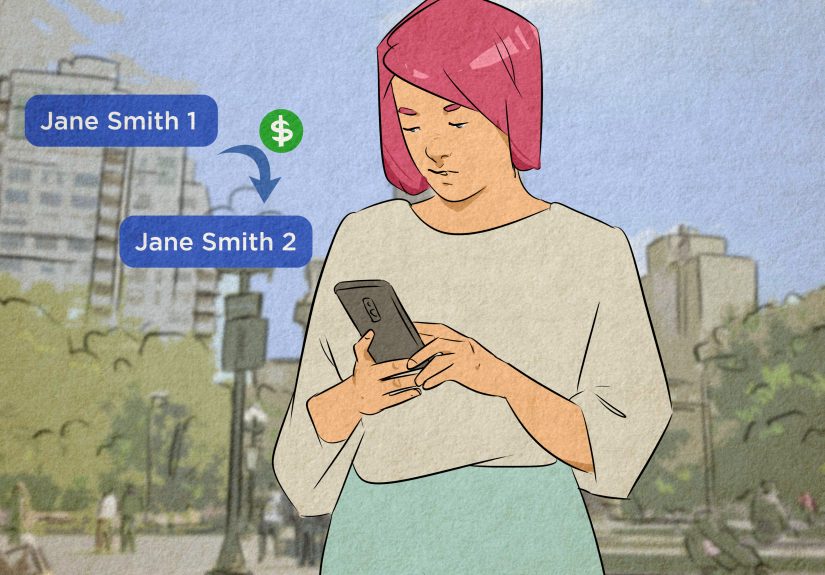
No. Venmo is designed for payments between separate people, and it explicitly says you can’t use Venmo to pay yourself
or “move money between two of your own payment methods.”[1] Venmo also limits you to one personal account,
which shuts down the classic “I’ll just make a second account and send money back and forth” idea.[1][2]
Translation: you can’t search your own username, tap “Pay,” and call it a day. Venmo wants a real counterparty on the other end.
What people usually mean by “Venmo myself”
In the wild, “Venmo myself” usually means one of these:
- Move money faster (e.g., from Venmo to your bank quickly).
- Shift money between accounts (Bank A → Bank B) without waiting forever.
- Create a clean record (notes/memos) for reimbursements, roommates, trips, or budgeting.
The two workarounds below map to those goalswithout pretending you’re two different humans in a trench coat.
Workaround #1: The “Cash-Out Carousel” (Use Venmo’s balance tools, not a self-payment)
If your real goal is getting money to your own bank account, the most reliable move is to stop thinking “pay”
and start thinking “transfer.” Venmo lets you move money from your Venmo balance to your bank using either a standard transfer
or an instant transfer (if eligible).[3][4]
When this workaround is perfect
- You got paid on Venmo (friends, reimbursements, side gigs) and want the money in your bank.
- You want to “un-strand” money from your Venmo balance without involving another person.
- You need speed and you’re willing to pay a small fee for it.
How to do it (step-by-step)
- Open Venmo and go to your profile (“Me” tab).[4]
- Tap Add or Transfer (or “Manage,” depending on what your app shows).[4]
- Enter the amount you want to move from Venmo to your bank.[4]
-
Choose:
- Instant transfer (typically within ~30 minutes, if your bank/debit card participates).[3]
- Standard transfer (free, usually 1 business day, but can take up to 3 business days).[5]
- Confirm and submit.[4]
Timing and fees (the part everyone actually cares about)
Standard transfers are generally free and move through ACH; Venmo says they typically complete within one business day
but can take up to three, and weekends/bank holidays can slow things down.[5]
Instant transfers are designed for speedoften arriving within about 30 minutes when supportedbut they come with a fee:
1.75% of the transfer amount (minimum $0.25, maximum $25).[3]
Eligibility depends on whether your bank account or Visa/Mastercard debit card participates in instant transfer rails.[6]
A concrete example
Let’s say you have $500 in your Venmo balance and you need it in your checking account today.
- Standard transfer: $500 → $500 to your bank (fee $0), likely next business day, possibly up to 3.[5]
- Instant transfer: $500 → $491.25 to your bank (fee = $8.75), typically within ~30 minutes if eligible.[3]
Is the fee annoying? Yes. Is it sometimes worth it to avoid a late fee, an overdraft, or an awkward “hey landlord, it’s on the way” text?
Also yes.
Optional boost: “Add money” (only if the feature is available to you)
Some users can add money to their Venmo balance from a linked bank account, then later transfer it out again.[7]
If you initiate a transfer into Venmo and change your mind, Venmo notes you can transfer it back once the transfer completes.[7]
That said: use this like a convenience featurenot a magic money machine. If your true goal is moving money between bank accounts,
your bank’s built-in transfer tools or Zelle may be simpler and less “app gymnastics.”[13]
Workaround #2: The “Trusted Middleman Loop” (Create a record without breaking the rules)
Sometimes you don’t just want money to moveyou want a transaction trail with a note like “utilities,” “rent,” or
“I bought 900 tacos for the group and now my wallet is weeping.”
Since you can’t pay yourself, the workaround is to use a trusted person as a relay:
you pay them, they pay you back (or vice versa). This is common for roommates, couples, family members, or a close friend you trust
with your money and your dignity.
How to do it without creating a mess
- Pick someone you genuinely trust (not “a guy from Facebook Marketplace who promises he’s cool”).
- Agree on the exact amount and the timing (same day is best).
- Send a payment with a clear note (e.g., “Reimbursement: February electric bill”).[8]
- Have them send the exact amount back to you with a matching note.
- Optional: set the transaction privacy to private if you don’t want your social feed to read like your diary.[14]
What this accomplishes
- A clean record inside Venmo for budgeting or splitting expenses.
- Balance management if money needs to “pass through” for a group bill.
- Less confusion than trying to mentally reconstruct who paid for what two months later.
Fee traps to avoid
The biggest “oops” is funding your payment with a credit card.
Venmo charges a standard 3% fee for credit-card-funded person-to-person payments.[8][9]
On top of that, some card issuers may treat certain P2P transactions like cash advances, which can trigger extra fees and immediate interest.[10]
If you’re doing a middleman loop, use a bank account, debit card, or your Venmo balance when possiblebecause nobody wants to pay 3% just to
recreate a note that says “pizza.”[9][11]
A concrete example
You and your roommate split rent, but you paid the full $2,000 from your bank account.
You want the reimbursement to show up neatly in Venmo so you can track it.
- You send your roommate $1,000 with the note “Rent reimbursement – Feb.”
- Your roommate sends you $1,000 with the note “Rent reimbursement – Feb (return).”
Net effect: your cash position is the same, but you created the record you needed. Just keep it between trusted people,
and don’t get cute with huge amounts or rapid-fire looping, which can look suspicious to automated systems.
Two “workarounds” you should skip (unless you enjoy account headaches)
1) Making a second personal Venmo account
Venmo’s own materials say you’re only allowed to maintain one personal Venmo account at a time.[1][2]
Creating a second one to pay yourself is the fast lane to “Why is my account frozen?” territory.
2) Trying to hack a self-payment via “two payment methods”
Venmo is pretty explicit that it’s not intended for moving money between your own payment methods via self-payments.[1]
If you need money to move between banks, start with bank transfers, Zelle, or a standard Venmo transfer out of your balance
not a pretend P2P payment to yourself.
If your real goal is “move money between banks,” here are simpler options
If you’re moving money from Bank A to Bank B, you may have better tools than Venmo gymnastics:
- Zelle (if both banks support it): often fast and typically free.[13]
- ACH bank-to-bank transfers: slower, but straightforward and usually free.[13]
- Wire transfers: faster, but often costlybest for large, time-sensitive transfers.
Think of Venmo as a great “people-to-people” tool and a decent “cash-out” tooljust not a universal money teleporter.
Safety checklist (because scammers love payment apps)
- Only do middleman loops with people you trust.
- Double-check usernames (mistakes are painfully easy).
- Avoid keeping large balances in Venmo longer than necessary; some consumer finance experts warn that “parking” money there isn’t ideal.[11]
- Set transactions to private if you don’t want your feed broadcasting your life.[14]
Taxes and reporting: will “Venmoing” trigger a 1099-K?
Venmo’s tax reporting is aimed at payments for goods and services, not normal friends-and-family activity.[12]
Venmo says personal payments between friends and family are excluded from its 1099-K reporting requirements.[12]
For tax year 2025 (as described by Venmo/PayPal), a Form 1099-K is generally issued only when
goods-and-services payments exceed $20,000 and there are more than 200 transactions,
though some states have lower thresholds and backup withholding situations can change what gets reported.[12][15]
The IRS also explains that payment apps may send 1099-Ks at lower amounts in some cases.[16]
Bottom line: keep your notes clear, keep your categories straight, and don’t mark personal reimbursements as goods/services unless that’s
truly what they are. If you’re running a side business, track income and expenses like an adult (or like an adult who uses spreadsheets as therapy).
Quick FAQ
Can I “request” money from myself on Venmo?
Not in any meaningful way. Venmo’s payment flow requires another personsomeone with a separate Venmo identity on the other side.[1]
What’s the fastest way to get Venmo money into my bank?
Instant transfer is designed for speed (often within ~30 minutes when eligible), but it costs 1.75% (min $0.25, max $25).[3]
Standard transfers are free and usually complete within one business day, but can take up to three.[5]
Can I use a credit card to do the middleman loop?
You can, but it typically triggers a 3% fee and may be treated as a cash advance by some issuersmeaning extra fees and interest.[9][10]
If you’re doing this for “budgeting reasons,” paying extra fees is… how do we say this… not very budgety.
Conclusion
You can’t Venmo yourself directly, and you shouldn’t try to outsmart the one-person-one-account rule.[1][2]
But you can still get what you need done:
(1) cash out your Venmo balance to your bank using standard or instant transfers,[3][5]
or (2) use a trusted middleman loop when you need a clean record for reimbursements.
Keep it simple, avoid credit card fees unless you truly know what you’re paying for, and remember: the cleverest workaround is the one
that doesn’t end with customer support music.
Real-World Experiences & “What Actually Happens” (Extra )
Here’s the lived-in reality: most people aren’t trying to “Venmo themselves” because they’re plotting a financial heist.
They’re trying to solve everyday frictionmoney moving slower than life.
One common scenario is the post-weekend reset. You split dinner, tickets, and rides with friends, and by Sunday night you’ve got
$214.37 sitting in Venmo. You don’t want it sitting there because your rent comes out of your bank account, not your “social life wallet.”
So you do a standard transfer… and then you stare at your bank app like it owes you a personal apology.
Venmo says standard transfers typically land within a business day but can take up to three.[5] If you kick it off Friday night,
weekends and bank holidays can make it feel longer. Suddenly, “free” has a time cost.
Then there’s the instant transfer heartbreak. You hit instant transfer expecting a superhero landing, and instead your bank card
doesn’t show up as eligible. That’s not you being cursedit can happen if your bank or debit card doesn’t participate in the instant transfer services
Venmo relies on.[6] The workaround in real life is boring but effective: add a different eligible debit card (if you have one) or use the
standard transfer and plan one business day ahead next time. It’s not “clever,” but it’s how adults avoid stress-snacking.
Another frequent story: the roommate reimbursement spreadsheet spiral. Someone pays the full utility bill, another person pays for
household supplies, and suddenly nobody remembers who owes whom. The trusted middleman loop gets used as a “receipt generator”:
send a payment with a clear note, send it back with the same note, and now both people can find it later without reconstructing history from screenshots.
The key lesson people learn fast: don’t fund the loop with a credit card unless you’re okay with paying a 3% fee for the privilege of being organized.[9]
People also run into the privacy surprise. They pay a friend back for something personal, and later realize their transaction was visible
more broadly than they expected. Venmo’s privacy controls matter more than most people think, especially if your default settings aren’t locked down.[14]
The “experience-based” advice here is simple: set your default transaction privacy to what you’re comfortable with before you start using Venmo as a budgeting tool.
Finally, for anyone who sells things on the side (tickets, crafts, freelancing), there’s the tax-season confusion.
Folks worry that any Venmo activity triggers a tax form. Venmo’s own tax guidance emphasizes that 1099-K reporting is about goods-and-services payments,
not normal friends-and-family reimbursements.[12] The real-world best practice: keep business and personal payments clearly labeled and separate in your records,
even if they happen in the same app. Your future self will thank youprobably in April.