Table of Contents >> Show >> Hide
- Why TikTok Slideshows Work So Well
- Before You Start: What Makes a Good TikTok Slideshow?
- Way 1: Make a Slideshow Directly in TikTok with Photo Mode
- Way 2: Use a TikTok Template for a Faster, More Styled Slideshow
- Way 3: Create the Slideshow in an External Editor, Then Upload It to TikTok
- Which TikTok Slideshow Method Is Best?
- Common TikTok Slideshow Mistakes to Avoid
- Creative Slideshow Ideas for TikTok
- How to Make Your Slideshow More Engaging
- Experience and Lessons Learned from Making TikTok Slideshows
- Conclusion
If you have ever stared at your camera roll and thought, “Wow, this deserves more than dying quietly between a grocery receipt screenshot and a blurry dog photo,” TikTok slideshow posts might be your new best friend. A slideshow on TikTok lets you turn still images into something that feels more alive, more scroll-stopping, and a lot less like a forgotten folder named Misc 7.
The good news is that making a TikTok slideshow is not complicated. The even better news is that you have more than one way to do it. Depending on how fast you want to post, how polished you want the final result to look, and how much control you want over timing, music, text, and transitions, there are three solid methods that work well.
In this guide, you will learn three ways to make a slideshow on TikTok, how each method works, when to use each one, and how to avoid the classic mistakes that make viewers swipe away faster than a bad dating profile. We will also cover creative ideas, formatting tips, and a few real-world lessons that can save you time.
Why TikTok Slideshows Work So Well
TikTok may be famous for short-form video, but photo-based content has carved out a strong lane of its own. Slideshows work because they slow the viewer down just enough to create curiosity. Instead of everything flashing by in two seconds, each slide invites people to pause, read, swipe, and react.
That makes slideshows especially useful for storytelling, before-and-after reveals, step-by-step tutorials, travel recaps, outfit roundups, mini reviews, product features, inspirational quotes, and educational content. In other words, if your idea can be broken into clear visual beats, a TikTok slideshow can do the job beautifully.
Another reason they work is simple: not every creator wants to be on camera all the time. Some days you want to create content without curling your hair, setting up lights, or pretending your bedroom corner is a film studio. Slideshows let your photos, text, and music carry the post.
Before You Start: What Makes a Good TikTok Slideshow?
Before jumping into the three methods, it helps to know what separates a slideshow people actually watch from one they abandon halfway through.
Use a strong first slide
Your first image is the hook. It should create a question, promise a payoff, or spark emotion. “My first apartment makeover on a tiny budget” works. “Photos from Tuesday” does not exactly make hearts race.
Keep the visual style consistent
Try to use photos with similar lighting, color tone, or composition. A slideshow that feels visually connected looks more intentional and more professional, even if you made it while eating cereal in sweatpants.
Write text that is quick to read
If you add text overlays, keep them short and sharp. TikTok is not the place for a paragraph that looks like a college application essay. Think punchy captions, one idea per slide, and simple wording.
Think vertically
TikTok is built for vertical viewing, so photos that fit or crop well in a tall format tend to perform better. Wide landscape images can still work, but they often need careful framing so the important details do not get lost.
Pick music with intention
A good sound can make a slideshow feel emotional, funny, dramatic, cozy, or trendy. A random audio choice can make the entire post feel off. Music matters more than many beginners realize.
Way 1: Make a Slideshow Directly in TikTok with Photo Mode
This is the simplest and most native option. If you want to create a slideshow quickly inside the app, TikTok’s built-in photo workflow is the easiest path.
How to do it
- Open TikTok and tap the + button to create a new post.
- Tap Upload and choose the photos you want to use.
- Select multiple images in the order you want them to appear.
- Continue to the editing screen.
- Switch to the slideshow or photo-style mode if TikTok presents both a video-style and swipe-style option.
- Add text, stickers, filters, effects, and sound.
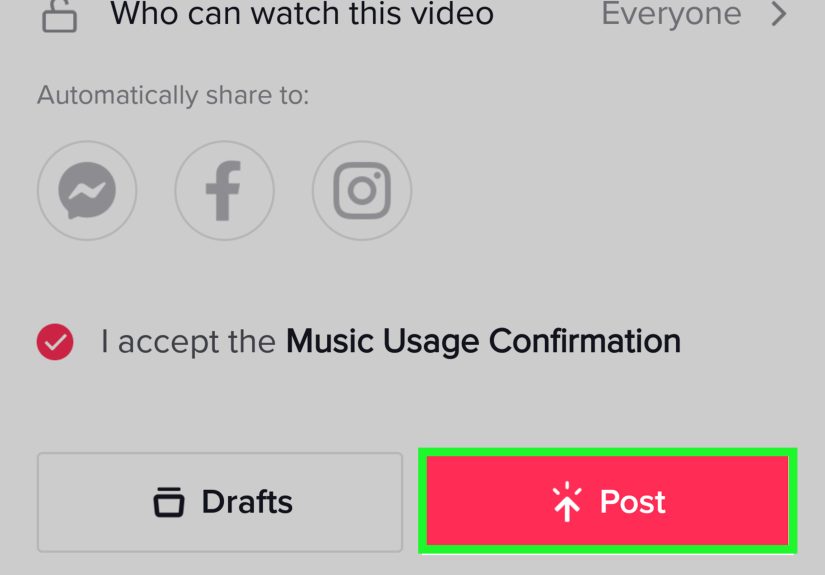
- Write your caption, adjust your post settings, and publish.
Why this method is great
This method is best for speed. You do not need another app, you do not need to export anything, and you can use TikTok’s built-in editing features right away. It is especially useful for simple story-based posts, personal recaps, quick tutorials, “photo dump” content, or trend participation.
Because you are editing inside TikTok, you also get access to platform-native sounds, effects, and text tools. That can help your slideshow feel more natural to the app instead of looking like a recycled post from somewhere else.
Best use cases for Photo Mode
- Travel recaps
- Room makeovers
- Recipe steps
- Fashion roundups
- Progress updates
- Quote-based storytelling
- Product photos with commentary
What to watch out for
The downside is that native TikTok editing is convenient but not endlessly flexible. If you want extremely precise timing, layered motion graphics, advanced transitions, or a more cinematic feel, you may run into limits. Still, for most creators, this is the best place to start.
One more tip: arrange your photos in the right order before you get too deep into editing. Fixing a chaotic image sequence after you have already added text and music is the digital equivalent of frosting a cake before realizing you forgot the eggs.
Way 2: Use a TikTok Template for a Faster, More Styled Slideshow
If you want a slideshow that looks more dynamic without building everything from scratch, templates are a smart shortcut. TikTok has long offered template-style creation options that turn selected photos into a more animated presentation.
How to do it
- Open TikTok and tap the + button.
- Look for the Templates option near the camera tools.
- Browse the available template styles and preview how they look.
- Choose a template that matches your mood, niche, or content type.
- Select the number of photos the template requires.
- Upload your images and let TikTok apply the motion and timing.
- Adjust the caption, sound, and finishing details before posting.
Why this method is useful
Templates remove a lot of decision-making. Instead of figuring out pacing and movement yourself, TikTok handles much of it for you. That makes this option great for beginners, busy creators, or anyone who wants something that looks polished with minimal effort.
Templates are particularly helpful when you want more energy than a basic swipeable slideshow provides. They can add motion, rhythm, and structure that make still photos feel more video-like.
When templates work best
- Birthday recaps
- Glow-up posts
- Seasonal collages
- Memory montages
- Event highlights
- Beauty or style transformations
The catch
Templates are fast, but they are not always subtle. Some look great. Some look like your photos accidentally joined a talent show. The key is picking a template that supports your content instead of overpowering it.
Also, templates may require a certain number of photos, which means you need enough strong images to make the format work. Do not force weak filler photos into the sequence just to satisfy the template. One boring slide can drag down the whole post.
Way 3: Create the Slideshow in an External Editor, Then Upload It to TikTok
If you want the most control, create your slideshow outside TikTok and upload it as a finished video. This method takes longer, but it gives you far more freedom over pacing, fonts, transitions, visuals, and overall polish.
How to do it
- Choose a video editor or slideshow maker you like.
- Set your canvas to a vertical format that fits TikTok well.
- Import your photos and arrange them in order.
- Add timing, zoom effects, transitions, captions, and music or voiceover.
- Export the video in high quality.
- Open TikTok, tap Upload, and select the exported file.
- Finish the post with a caption, hashtags, cover image, and settings.
Why creators love this method
This is the best option for branded content, educational creators, businesses, creators who care deeply about aesthetics, and anyone who wants their post to look highly intentional. You can match fonts to your brand, fine-tune timing, layer in voiceover, and create a smoother viewer experience than some in-app tools allow.
It also works well when you want to combine photos and video clips in the same project, or when you want a slideshow to behave more like a cinematic montage than a simple set of swipeable images.
Best use cases for external editing
- Tutorial content
- Business promotions
- Portfolio posts
- Educational explainers
- Client work
- High-end lifestyle edits
What to watch out for
This method gives you power, but it also gives you opportunities to overdo it. Just because you can add twelve transitions, four fonts, and dramatic zooms on every slide does not mean your audience deserves that chaos. Clean wins. Clear wins. Stylish without being exhausting wins hardest.
Which TikTok Slideshow Method Is Best?
Choose Photo Mode if you want speed
This is the easiest option for quick posts, trend participation, personal storytelling, and simple visual lists.
Choose Templates if you want built-in style
This is a good middle ground when you want more movement than a plain slideshow but do not want to edit from scratch.
Choose an external editor if you want full control
This is the strongest option for creators who care about branding, advanced editing, and professional-looking results.
Common TikTok Slideshow Mistakes to Avoid
Using too many weak photos
A slideshow is only as good as its weakest slide. Ten excellent images beat twenty average ones every time.
Burying the best image in the middle
Lead with your strongest visual. Do not make viewers dig through six okay slides to find the one great one.
Ignoring text placement
Make sure your text stays readable and does not sit awkwardly where TikTok interface elements may cover it.
Using mismatched visuals
If one image is warm, one is cool, one is dark, and one looks like it was taken during a power outage, the sequence can feel messy. Edit for some consistency.
Choosing music as an afterthought
Sound is not decoration. It shapes the mood. A sentimental slideshow with goofy audio is a strange experience, unless strange is your strategy.
Creative Slideshow Ideas for TikTok
- Before and after: home, fitness, design, beauty, or organization results
- Mini tutorial: one step per slide
- Storytime: tell a short personal story with captions
- Travel diary: one destination, one memory, one lesson per slide
- Outfit roundups: one look, one detail, one styling tip
- Product review: photos plus honest commentary
- Motivational series: quote-based slides with a strong emotional arc
How to Make Your Slideshow More Engaging
Start with curiosity. Use captions like “What nobody tells you about moving into your first apartment” or “Three things I wish I knew before I started running.” This gives the viewer a reason to keep swiping.
Next, structure your slideshow with intention. Slide one should hook. Middle slides should deliver value or story. Final slide should give a payoff, punchline, takeaway, or call to action.
You should also think about accessibility and clarity. If you are posting photos with important context, adding helpful text and clear descriptions can make the content stronger for a wider audience. Clean visuals and simple wording are not boring. They are effective.
Experience and Lessons Learned from Making TikTok Slideshows
One of the most interesting things about making a TikTok slideshow is how quickly it teaches you what actually matters in content creation. At first, many people assume the secret is fancy editing, dramatic transitions, or a perfectly curated aesthetic. Then they post a simple slideshow with a strong hook and realize that clarity often beats complexity. That is one of the best lessons TikTok can teach. People do not always want more noise. They want a reason to care.
In real use, the most successful slideshow experiences usually come from matching the format to the story. A swipeable photo post feels personal and intimate, which makes it great for storytelling, travel memories, reflections, and soft educational content. A template-based slideshow feels faster and more energetic, which works well for celebrations, transformations, and trend-driven posts. An externally edited slideshow feels more premium, which is ideal for a brand, a creator portfolio, or content that needs a polished presentation.
Another lesson is that photo selection matters more than people expect. You can have a good idea and still end up with a weak post if the image order is confusing or repetitive. The strongest slideshows usually have visual progression. Something changes, builds, improves, reveals, or lands emotionally by the end. Even a casual photo dump works better when it feels like there is a point of view behind it.
There is also the issue of restraint. Many creators discover that the temptation to add too much is real. Too much text, too many effects, too many photos, too much motion. The better experience usually comes from editing down. A tight slideshow with eight strong slides often feels better than a sprawling one with eighteen mixed-quality images. Viewers can feel when you respected their time.
Finally, making TikTok slideshows teaches you to think like both a storyteller and an editor. You start noticing what makes someone stop scrolling, what makes a sequence feel satisfying, and what kind of emotional rhythm keeps people engaged. That is useful far beyond TikTok. Whether you are creating content for fun, building a brand, or sharing a personal moment, slideshow posts can sharpen your visual communication skills in a surprisingly practical way. Not bad for an app that also contains dancing cats and people reviewing gas station pickles.
Conclusion
If you want to make a slideshow on TikTok, you have three reliable options: create it directly in TikTok with Photo Mode, use a template for a quicker stylized result, or build it in an external editor for maximum control. The best choice depends on your goal, your workflow, and how polished you want the final post to feel.
For most people, the smartest move is to start simple. Learn the in-app method first, understand what kind of photo sequences hold attention, and then level up into templates or external editing once you know your style. TikTok rewards clarity, creativity, and strong storytelling far more than unnecessary complexity.
So open your camera roll, pick your best photos, and give them a job more glamorous than sitting around collecting digital dust. Your next TikTok slideshow might be one well-chosen soundtrack away from becoming your most engaging post yet.