Table of Contents >> Show >> Hide
- Why Calling Canada from Mexico Is Easier Than You Think
- How to Call Canada from Mexico on a Regular Phone
- When Wi-Fi Calling Is the Best Option
- How to Call Canada from Mexico Online
- What Is the Cheapest Way to Call Canada from Mexico?
- Common Mistakes to Avoid
- Quick Step-by-Step Summary
- Final Thoughts
- Experiences Calling Canada from Mexico: What It Feels Like in Real Life
If you are in Mexico and need to reach someone in Canada, the good news is that this is not a “light three candles and hope the signal gods are kind” situation. It is actually pretty simple once you know which method makes sense for your budget, device, and patience level. You can place a traditional phone call, use Wi-Fi calling through your carrier, or skip the phone network altogether and make the call online with apps like WhatsApp, FaceTime, Signal, Google Meet, Teams, or Viber Out.
This guide breaks down exactly how to call Canada from Mexico by phone or online, what number format to use, which apps are easiest, what common mistakes trip people up, and how to avoid turning a quick check-in into an expensive international surprise on your next bill. Whether you are calling family in Toronto, a hotel in Vancouver, a client in Montreal, or your friend who “swears they’ll answer this time,” here is how to do it the smart way.
Why Calling Canada from Mexico Is Easier Than You Think
Canada uses country code +1 as part of the North American Numbering Plan. That means Canadian phone numbers follow a familiar structure: a three-digit area code plus a seven-digit local number. In plain English, once you know the area code, you are most of the way there.
The simplest version looks like this:
- +1 + area code + seven-digit phone number
Example:
- +1 416 555 0123 for a Toronto number
If you are dialing from a smartphone, the + format is usually the easiest and safest choice. It works well for mobile phones, internet calling apps, and many carrier systems because the plus sign automatically substitutes the correct international access code. In other words, it is the international-calling version of letting your GPS do the work instead of arguing with a paper map.
How to Call Canada from Mexico on a Regular Phone
Use the standard dialing format
If you are calling a Canadian number from Mexico on a mobile phone, dial:
- +1 + area code + local number
If you are on a traditional landline or business desk phone, you may need to use an international exit code first. In practice, that often looks like:
- 00 + 1 + area code + local number
So if you are calling a Vancouver number, you might dial:
- +1 604 555 0198 on mobile
- 00 1 604 555 0198 on some landlines or office systems
Do not skip the area code
Even if the person in Canada says, “It’s just a local number,” it is not local to you. When calling internationally, include the full Canadian number with the area code every time.
Landline and mobile calls may cost more than you expect
This is where many travelers get ambushed. If you use your carrier’s regular voice network while in Mexico, you may be charged international roaming or per-minute calling fees depending on your plan. Some plans are generous. Others behave like they were designed by a villain in a billing department. Before placing a traditional call, check:
- Whether Mexico roaming is included in your plan
- Whether calls to Canada are included while abroad
- Whether Wi-Fi calling changes the rate
- Whether your plan treats the call as international, roaming, or both
When Wi-Fi Calling Is the Best Option
Wi-Fi calling can be a great middle ground if you want to use your regular phone number without relying on a weak mobile signal. When it works well, it feels almost boringly normal, which is exactly what most people want from a phone call.
Why people like Wi-Fi calling
- You use your usual phone number
- You may get better call quality in hotels, apartments, and airports
- You can avoid weak cellular coverage
- You may reduce costs compared with standard roaming calls
Important caveats
Wi-Fi calling is not magic. It still depends on your carrier, plan, and setup. Some carriers require Wi-Fi calling to be activated before you leave your home country. Others warn that international charges can still apply depending on how the call is routed. That means the phrase “I’m on Wi-Fi, so it must be free” is not always a safe assumption.
If you plan to use Wi-Fi calling in Mexico to reach Canada, check these before you travel:
- Wi-Fi calling is already enabled on your phone
- Your emergency address is set up if your carrier requires it
- Your phone is set to prefer Wi-Fi when roaming, if that setting exists
- Your carrier’s Mexico and Canada calling rules are clear
How to Call Canada from Mexico Online
If both you and the person in Canada have internet access, online calling is often the easiest and cheapest option. In many cases, it is effectively free aside from your data or Wi-Fi usage. It also avoids the headache of international dialing rules and mystery fees.
1. WhatsApp
WhatsApp is one of the easiest ways to call Canada from Mexico if both people already use it. Open the chat, tap the voice or video call button, and you are done. No international dialing. No memorizing codes. No dramatic sigh when you realize you forgot one digit.
Best for: friends, family, and casual everyday calls.
Pros: familiar, simple, widely used, works over Wi-Fi or mobile data.
Cons: both people need WhatsApp, and call quality depends on your connection.
2. FaceTime Audio or Video
If both users are in the Apple ecosystem, FaceTime Audio is excellent for voice calls, and regular FaceTime works for video. It is quick, clean, and tends to feel more polished than many other options.
Best for: iPhone, iPad, and Mac users who already live inside Apple’s world.
Pros: easy setup, solid audio quality, seamless on Apple devices.
Cons: not ideal for mixed-device households unless everyone uses Apple hardware.
3. Signal
Signal is a strong option if privacy matters to you. It supports internet-based voice and video calls and works well while traveling as long as you have a stable connection.
Best for: privacy-focused users and secure personal conversations.
Pros: encrypted calls, simple interface, reliable for one-to-one calling.
Cons: both users need Signal.
4. Google Meet
Google Meet is handy when you want a polished online call without fuss. It works well for scheduled conversations, quick links, and direct calling in supported setups. If you are calling a relative who is comfortable clicking a link but not comfortable “installing seventeen new things,” Meet can be a lifesaver.
Best for: scheduled calls, family catch-ups, remote work, and cross-device calling.
Pros: works across devices, easy link sharing, good for voice or video.
Cons: some direct-calling features depend on app version or account setup.
5. Microsoft Teams
Teams is useful if you are calling colleagues, clients, or anyone in a business environment. For regular Teams-to-Teams calls, it is easy. If you want to dial an actual phone number from Teams, that usually depends on business calling features or licensing.
Best for: work calls, client conversations, remote teams.
Pros: strong for business use, call history, collaboration features.
Cons: dialing external phone numbers is not always included by default.
6. Viber Out
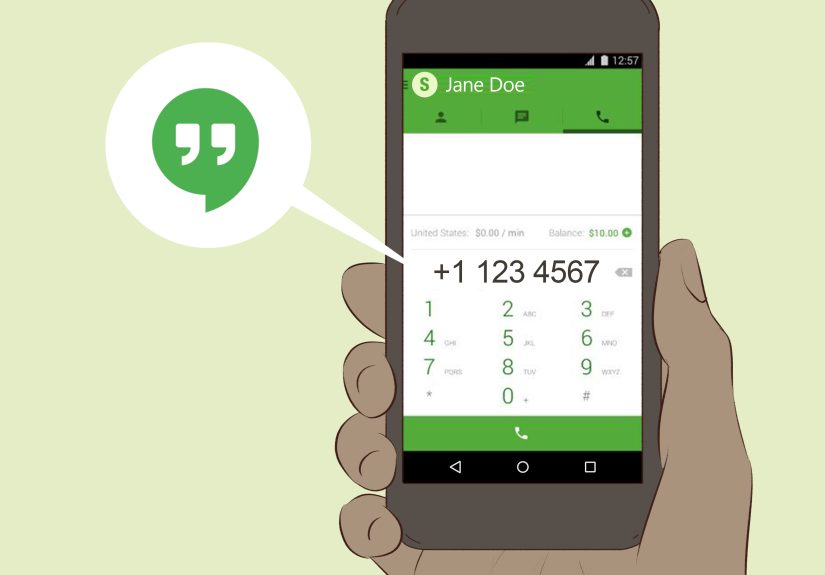
Viber Out is useful when the person in Canada does not use your favorite app and you still want a lower-cost internet-based option. It lets you call regular phone numbers through VoIP using credit or a plan.
Best for: calling Canadian landlines or mobiles from an app without using your carrier’s voice network.
Pros: can call normal phone numbers, useful backup option, often lower cost than roaming.
Cons: requires internet and paid credit or a plan.
7. Google Voice
Google Voice can work well for some users, especially those who already have a U.S.-based Google Voice setup. But it is not always the easiest travel solution because usage outside the U.S. can interact with your mobile plan and roaming rules. It is more of a “good if you already know what you’re doing” tool than a universal recommendation.
Best for: experienced users already set up with Google Voice.
Pros: flexible, useful for existing Google Voice users.
Cons: not always the simplest option while traveling internationally.
What Is the Cheapest Way to Call Canada from Mexico?
For most people, the cheapest method is one of these:
- WhatsApp, Signal, FaceTime, or Google Meet over Wi-Fi
- Carrier Wi-Fi calling if your plan treats the call favorably
- A VoIP app like Viber Out for calling actual phone numbers
A standard roaming voice call is often the most expensive option unless your plan specifically includes Mexico usage and calls to Canada.
Common Mistakes to Avoid
Forgetting the +1 country code
Canada is part of the +1 numbering space. If you skip it when needed, your call may fail or route incorrectly.
Leaving out the area code
Always use the full number, including the Canadian area code.
Assuming Wi-Fi means free
Wi-Fi helps, but your carrier’s billing rules still matter for carrier-based calls.
Using mobile data without checking roaming
App calls can be cheap, but not if your data roaming charges are outrageous.
Relying on a weak hotel network
A free hotel connection can be fine for email and absolutely terrible for voice. Test the network before placing an important call.
Quick Step-by-Step Summary
To call a Canadian phone number from Mexico
- Open your dialer
- Enter +1
- Add the three-digit area code
- Add the seven-digit local number
- Press call
To call Canada online from Mexico
- Connect to reliable Wi-Fi or a strong data connection
- Open WhatsApp, FaceTime, Signal, Meet, Teams, or another app
- Select the contact
- Tap the audio or video call button
- Use headphones if the connection is noisy
Final Thoughts
If you want the simplest answer to how to call Canada from Mexico by phone or online, here it is: use +1 plus the full Canadian number for traditional calls, and use internet-based apps whenever both sides can connect online. That combination covers almost every situation.
If the call is casual, WhatsApp, FaceTime, Signal, or Google Meet is usually the easiest route. If you need to reach a hotel, office, or landline, dial the Canadian number in full or use a VoIP service like Viber Out. And if you plan to use your carrier’s number while traveling, check the fine print before you call so your conversation does not come with a sequel called Why Is My Bill So High?
Experiences Calling Canada from Mexico: What It Feels Like in Real Life
In real-world use, calling Canada from Mexico is usually less about technology and more about context. A tourist in Cancún may only need to call a family member in Calgary once to say, “Yes, I arrived, no, I have not been adopted by a beach bar.” For that person, WhatsApp on hotel Wi-Fi is perfect. It is fast, familiar, and costs little to nothing beyond internet access.
A different experience comes from remote workers and digital nomads living in Mexico for weeks or months. They often need more than one quick call. They may talk with Canadian clients, landlords, banks, or coworkers. In that situation, the method matters a lot more. App-to-app calling is still great for colleagues and friends, but when a Canadian office line is involved, people often prefer a proper dialer, Wi-Fi calling, or a VoIP app that can reach a regular number directly. Convenience starts to matter just as much as price.
Families also experience these calls differently. If grandparents in Canada are not comfortable with new apps, the “best” solution on paper may be useless in practice. You can recommend Signal, Meet, and a dozen fancy tools, but if Grandma only answers normal phone calls and has no interest in “joining a link,” then a direct call to her landline is the real winner. Technology does not get extra points for being clever when the person you love just wants the phone to ring.
Business travelers often have the most mixed experience. During the day, they may use Teams or Meet for formal conversations, then switch to a regular carrier call when they need to reach a hotel desk, airline, or customer support line in Canada. They also learn quickly that airport Wi-Fi can be unpredictable. One moment it is stable enough for a video call; the next moment your face freezes mid-sentence in a way that suggests you are either deeply confused or trapped in a time loop.
There is also the emotional side of international calling. A call from Mexico to Canada is sometimes routine, but sometimes it carries real weight. It might be a parent checking in with a student, a traveler handling a banking problem, or someone calling home during an emergency. In those moments, the smartest approach is not the fanciest one. It is the most reliable one. People who travel often usually learn to keep two methods ready: one app-based option and one direct-number option. That backup plan saves stress when Wi-Fi fails, an app glitches, or a person on the other end simply does not use the platform you hoped they would.
The most consistent lesson from real experiences is simple: flexibility beats loyalty. Do not become emotionally attached to one calling method. Use what fits the person, the connection, and the moment. A quick family call may belong on WhatsApp. A scheduled work conversation may belong on Meet or Teams. A call to a bank, hotel, or office may belong on your phone dialer or a VoIP app that can reach real numbers. Once you think that way, calling Canada from Mexico becomes much easier, much cheaper, and far less dramatic.