Table of Contents >> Show >> Hide
- What Does It Mean to Repost an Instagram Story?
- How to Repost an Instagram Story You’re Tagged In
- How to Repost a Public Instagram Story
- How to Share an Instagram Post or Reel to Your Story
- How to Repost an Instagram Story When You’re Not Tagged
- Why Can’t I Repost an Instagram Story?
- How to Let Others Repost Your Instagram Story
- Best Practices for Reposting Instagram Stories
- Examples of Smart Instagram Story Reposts
- Instagram Story Reposting Etiquette
- of Real-World Experience: What Actually Works When Reposting Instagram Stories
- Conclusion
Reposting an Instagram Story sounds like it should be as simple as ordering fries with your burger. Tap, share, done. But Instagram, being Instagram, likes to add a few tiny plot twists: Were you tagged? Is the account public? Did the creator allow sharing? Are you reposting a Story, a Reel, or a feed post to your Story? And why does the button you swear was there yesterday suddenly look like it packed a suitcase and moved to another menu?
The good news: reposting an Instagram Story is not complicated once you understand the rules. Whether you want to share a customer shoutout, repost a friend’s birthday Story, amplify a brand mention, or reshare a public Story your followers would love, this guide walks you through every major method step by step.
In this article, you’ll learn how to repost an Instagram Story when you are tagged, how to share a public Story, what to do if the repost button is missing, how to repost a feed post or Reel to your Story, and how to avoid the awkward “Hey, why did you steal my content?” message. Let’s keep your repost game smooth, respectful, and algorithm-friendly.
What Does It Mean to Repost an Instagram Story?
To repost an Instagram Story means to share someone else’s Story content to your own Instagram Story. Your followers can then view it from your Story ring, just like they would view something you posted yourself. Depending on the repost method, Instagram may automatically include the original creator’s username, which is helpful for giving credit and keeping things transparent.
There are several types of Instagram reposting, and they are not all the same:
- Reposting a Story you were tagged in: The easiest method. Instagram sends you a direct message, and you can tap “Add to Story.”
- Reposting a public Story: If available, you can tap the share icon and add the public Story to your own Story.
- Sharing a feed post to your Story: You can share eligible public posts, carousels, and Reels to your Story using the paper airplane icon.
- Manual reposting: You can use a screenshot or screen recording, but you should ask permission and clearly credit the original creator.
Think of Instagram reposting like borrowing someone’s jacket. If they handed it to you and said, “Go ahead,” great. If you sneak it out of their closet, that’s a different conversation.
How to Repost an Instagram Story You’re Tagged In
This is the classic and most reliable way to repost an Instagram Story. When someone mentions your username in their Story, Instagram typically sends you a direct message that includes the Story preview and a repost option.
Step 1: Open Your Instagram Direct Messages
Open the Instagram app and tap the Messenger or paper airplane icon in the top-right corner of the home screen. Look for a message that says someone mentioned you in their Story. This message usually appears in your main inbox, but if you do not follow the person, it may appear in message requests.
Step 2: Tap the Story Mention
Open the message and tap the Story preview. If the Story is still active and resharing is allowed, you should see an option such as “Add to your story.” Instagram Stories disappear after 24 hours, so do not wait three business days and a motivational coffee before checking.
Step 3: Tap “Add to Your Story”
Once you tap “Add to your story,” Instagram opens the Story editor. The original Story appears as a sticker-like element on your screen. You can resize it, move it, rotate it, or tap it to change how it displays.
Step 4: Customize the Repost
This is where you add your personality. You can include text, GIFs, stickers, emojis, polls, countdowns, link stickers, drawings, or a quick reaction like “Thank you!” or “Love this!” For brands, this is a perfect place to add context: “Our customer just made our day” or “Spotted in the wild!”
Step 5: Share It
Tap “Your Story” to share it publicly with your eligible audience, or choose “Close Friends” if you only want a smaller group to see it. Once posted, the repost will appear in your Story for 24 hours unless you delete it earlier or save it to a Highlight.
How to Repost a Public Instagram Story
Instagram has expanded Story resharing options for public content, allowing users to reshare certain public Stories even if they were not tagged. Availability may depend on the original creator’s settings, account type, region, and app version. If the feature is available to you, the process is quick.
Step 1: Open the Public Story
Go to the public account whose Story you want to share. Tap their profile picture to view the active Story. The account must generally be public, and the creator must allow their Stories to be shared.
Step 2: Tap the Share Icon
Look for the paper airplane or share icon. If Instagram gives you the option to repost the Story, you should see something like “Add to your story.” If you do not see that option, the creator may have disabled resharing, the Story may be restricted, or the feature may not be available on your app yet.
Step 3: Add the Story to Your Own Story
Tap “Add to your story.” Instagram will open the Story editor, where you can adjust the placement and add your own commentary. The original creator’s username should remain visible, which helps preserve credit.
Step 4: Add Context Before Posting
Do not repost like a robot with Wi-Fi. Add a reason your audience should care. For example:
- “This local event looks amazing this weekend.”
- “A great reminder for small business owners.”
- “This tip saved me 20 minutes today.”
- “Our customer styled this perfectly.”
Context turns a repost into useful content instead of digital confetti.
How to Share an Instagram Post or Reel to Your Story
Sometimes people say “repost a Story” when they actually mean “share a post to my Story.” Instagram lets you share many public feed posts, carousels, and Reels directly to your Story if the account is public and sharing is enabled.
Step 1: Find the Post or Reel
Open the Instagram post, carousel, or Reel you want to share. This could be your own post, a creator’s tutorial, a product review, a meme, or a helpful announcement.
Step 2: Tap the Paper Airplane Icon
Under the post or Reel, tap the paper airplane icon. This opens Instagram’s sharing menu.
Step 3: Choose “Add to Story”
If the content is eligible, you will see an option to add it to your Story. Tap it. Instagram will place the post or Reel into your Story editor as a clickable preview.
Step 4: Customize Your Story
Add a caption, sticker, arrow, poll, or reaction. If you are sharing a product review, you might write, “This explains it better than I ever could.” If you are sharing your own post, try “New post is live” or “Saving this here because it answers a question I get every week.”
Step 5: Publish
Tap the arrow or “Share” button and choose whether to post to Your Story or Close Friends. Feed-to-Story sharing is a great way to give older posts a second life, especially when your followers missed them the first time because the algorithm was busy doing mysterious algorithm things.
How to Repost an Instagram Story When You’re Not Tagged
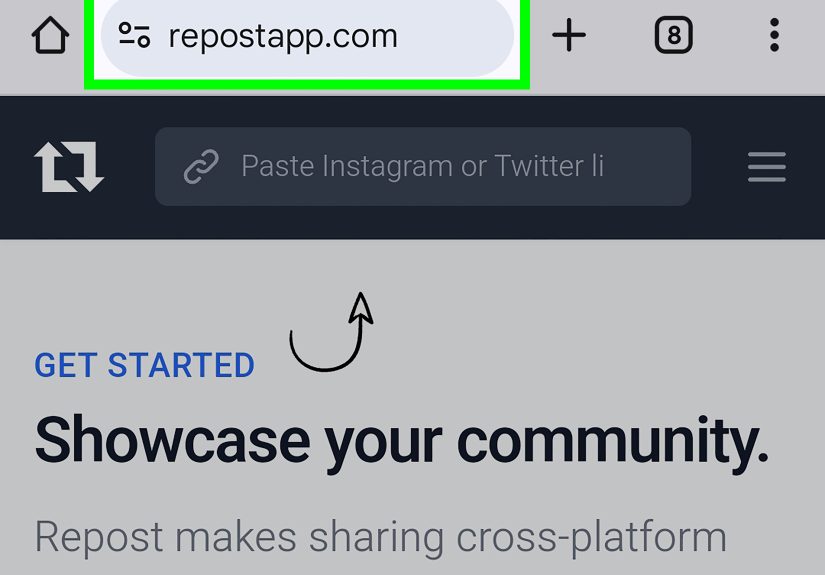
If you are not tagged and the public repost option is not available, you still have a workaround: screenshot or screen recording. However, this method requires extra care because Instagram may not automatically credit the original creator.
Step 1: Ask for Permission
Before reposting someone else’s Story manually, send a quick message. You do not need to write a legal document with a wax seal. A simple message works:
“Hey! I loved your Story about [topic]. Would it be okay if I shared it to my Story with credit to you?”
For brands, permission is especially important when using user-generated content. It protects trust, avoids copyright issues, and makes your community feel respected instead of harvested like free stock photography.
Step 2: Capture the Story
For a photo Story, take a screenshot. For a video Story, use your phone’s screen recording feature. After recording, trim the beginning and end so your final clip looks clean.
Step 3: Upload It as a New Story
Open Instagram, create a new Story, and select the screenshot or screen recording from your camera roll. Crop or resize it so it looks polished.
Step 4: Credit the Creator Clearly
Tag the original creator using their Instagram handle. You can write “Credit: @username,” “Shared with permission from @username,” or “Via @username.” Place the credit where it is visible but not covering important content.
Step 5: Add Your Own Value
Manual reposts should not feel like copy-paste content. Add a note explaining why you are sharing it. For example, “This is exactly what I mean when I talk about practical meal prep,” or “A smart reminder for anyone planning a weekend trip.”
Why Can’t I Repost an Instagram Story?
If you cannot repost an Instagram Story, do not panic. Your phone is probably not personally betraying you. There are several common reasons the repost option may be missing.
The Original Account Is Private
Private account content is more restricted. Even if you follow the account, Instagram usually limits how that content can be reshared to protect the creator’s privacy.
You Were Not Tagged
For many years, the easiest Story repost method only worked when the original creator mentioned your username. If you were not tagged and public Story resharing is unavailable, you may not see the “Add to your story” button.
The Creator Disabled Sharing
Instagram gives public account owners control over whether others can share their Stories. If they turned off Story resharing, you may be able to view the Story but not repost it.
The Story Expired
Stories disappear after 24 hours. If the Story has expired, the repost option disappears with it. That is Instagram’s way of saying, “You had one day, champ.”
Your App Is Outdated
If your Instagram app is outdated, newer sharing features may not appear. Update the app from the App Store or Google Play Store, then close and reopen it.
There Is a Temporary App Glitch
Sometimes the fix is beautifully boring: restart the app, restart your phone, log out and back in, clear the cache on Android, or reinstall Instagram. Not glamorous, but neither is turning a router off and on againand that still works suspiciously often.
How to Let Others Repost Your Instagram Story
If you want people to repost your Stories, check your sharing settings. Instagram’s menus can shift over time, but the general path is usually within Settings and privacy, then sharing or story-related controls.
Turn On Story Sharing
Go to your Instagram profile, open the menu, and look for Settings and privacy. Find the section related to sharing, reuse, or Story sharing. Choose who can reshare your Stories if the option is available. Depending on your current app version, choices may include broader sharing, mutual followers, or turning the feature off.
Mention People You Want to Feature
If you want a customer, collaborator, friend, or partner to easily repost your Story, mention them with the @ symbol. After you select your photo or video for a Story, tap the text tool, type @ followed by their username, and select the correct account. This sends them a mention notification and usually gives them a simple repost option.
Use Public Content Strategically
If you are a creator or business that wants more reach, public Stories can be easier for others to share when your settings allow it. Just remember that reach is not the only goal. Make sure your Story includes clear branding, readable text, and a reason for someone to pass it along.
Best Practices for Reposting Instagram Stories
Reposting can build community, boost engagement, and help you share useful content without creating everything from scratch. But there is a right way to do it.
Always Give Credit
Even when Instagram automatically shows the creator’s username, adding your own visible credit is a smart habit. Tag the account, mention them in text, and avoid covering their handle with stickers or captions.
Ask Permission for Manual Reposts
If you are using a screenshot or screen recording, get permission first. This is especially important for businesses, influencers, educators, and anyone reposting customer content, artwork, photography, testimonials, or personal moments.
Do Not Repost Sensitive Content Casually
Some Stories are personal, emotional, or meant for a limited audience. If something feels private, do not repost it just because you technically can. A good rule: if you would feel weird explaining the repost to the original creator, do not post it.
Add Your Own Context
The best reposts tell your audience why the content matters. Add a short comment, reaction, question, or call to action. “Love this” is fine. “This is the exact checklist I use before launching a campaign” is better.
Keep the Design Clean
Instagram Stories already have usernames, buttons, captions, stickers, and interface elements. Do not bury the repost under twelve GIFs, a flashing arrow, three fonts, and a poll asking if pineapple belongs on pizza. Unless the Story is about pizza. Then, fine, proceed carefully.
Use Highlights for Evergreen Reposts
If a repost is valuable beyond 24 hours, save it to a Highlight. Businesses can create Highlights for reviews, press mentions, tutorials, events, FAQs, or customer photos. This turns temporary social proof into a long-term trust builder.
Examples of Smart Instagram Story Reposts
For Small Businesses
A customer posts a Story showing your handmade candle on their coffee table. They tag your shop. You repost it with the caption, “Our Sunday mood exactly. Thank you, @username!” Then you save it to a “Customer Love” Highlight.
For Creators
A follower shares a Story about how your tutorial helped them edit better videos. You repost it and add, “This is why I make these guides.” That repost becomes both appreciation and social proof.
For Local Events
A public account posts a Story about a weekend market. You reshare it with “Happening downtown this Saturdaygreat for anyone looking for local gifts.” Now the repost gives your audience useful information, not just another blinking rectangle.
For Personal Accounts
A friend tags you in a birthday Story. You repost it with a funny sticker or short message. This is the casual, friendly side of reposting: low stakes, high smiles.
Instagram Story Reposting Etiquette
Instagram may provide the tools, but etiquette determines whether your repost feels generous or grabby. When in doubt, follow three simple rules: ask, credit, and add value.
Do not remove watermarks, crop out usernames, or pretend someone else’s content is yours. Do not repost private content into a public space. Do not use customer content in an ad or promotional campaign without clear permission. And if someone asks you to remove a repost, remove it quickly and politely.
Good reposting strengthens relationships. Bad reposting creates screenshots in group chats. Choose wisely.
of Real-World Experience: What Actually Works When Reposting Instagram Stories
After managing and observing Instagram content workflows for personal brands, blogs, small businesses, and creator-style pages, one lesson becomes obvious fast: reposting works best when it feels human. People do not open Stories hoping to see a cold content relay station. They want quick context, a little personality, and a reason to keep tapping instead of swiping away.
The most effective reposts usually come from moments where someone else has already done the trust-building for you. A customer showing your product in real life is more convincing than a polished graphic saying “Customers love us.” A follower sharing your tip and saying it helped them is stronger than you announcing, “My tips are helpful.” Reposting these moments lets your audience see proof from outside your own mouth, which is often where the magic lives.
One practical habit that helps is creating a small repost system. For example, if you run a business account, check mentions once or twice a day. When someone tags you, repost quickly while the Story is still live. Add a thank-you message, use a consistent brand sticker or color style, and save the best ones to a Highlight. This simple routine can turn scattered mentions into a steady stream of social proof.
Another experience-based tip: do not over-edit the repost. Many people make the mistake of covering the original Story with too many stickers, captions, arrows, and reactions. The result looks busy and sometimes hides the very thing you wanted to share. A short caption like “Love this setup” or “Thanks for visiting us today” usually performs better than a paragraph squeezed into tiny text. Remember, Story viewers are often half-distracted, holding coffee, walking to class, or pretending to listen during a meeting. Make the point quickly.
For creators, reposting can also be a community-building tool. When followers see that you acknowledge mentions, they are more likely to tag you again. This creates a loop: they share, you repost, they feel seen, and your community becomes more active. The trick is to avoid reposting only praise. You can also repost thoughtful questions, behind-the-scenes reactions, event photos, tutorial results, or creative uses of your ideas.
When reposting public Stories, be selective. Just because something is shareable does not mean it fits your audience. A good repost should pass the “why would my followers care?” test. If the answer is weak, skip it. Your Story should feel curated, not like a drawer full of random charging cables.
Finally, permission matters more than many people think. Built-in reposting tools usually preserve credit, but screenshots and screen recordings can blur ownership. A quick DM asking for approval takes ten seconds and can prevent confusion later. It also starts conversations. Sometimes that small permission request leads to a collaboration, a testimonial, a partnership, or simply a warmer relationship with someone who already likes your content.
In short, the best Instagram Story reposts are fast, respectful, clear, and useful. Repost with credit, add context, keep the design clean, and treat other people’s content the way you would want yours treated. That approach never goes out of style, even when Instagram moves the buttons again.
Conclusion
Learning how to repost an Instagram Story is simple once you understand the different paths. If someone tags you, use the “Add to your story” option from your DMs. If a public Story is shareable, use the share icon and repost it with credit. If you are sharing a feed post or Reel, tap the paper airplane icon and add it to your Story. And if you need to use a screenshot or screen recording, ask permission first and tag the original creator clearly.
Reposting is more than a convenience feature. It is a way to highlight your community, share useful ideas, support creators, promote events, and keep your Instagram presence active without inventing new content every five minutes. Done well, it feels natural. Done poorly, it feels like content borrowing with the serial numbers filed off. Be the first kind of reposter.