Table of Contents >> Show >> Hide
- Step One: Stay Calm and Act Fast
- What NOT to Do (These Mistakes Kill Phones)
- Is Your Phone Water-Resistant? What IP Ratings Really Mean
- Fresh Water vs Salt Water vs Spills: Why the Liquid Matters
- How Long Should You Let a Wet Phone Dry?
- Common Signs of Water Damage (Even After It “Works”)
- When to Call a Professional Repair Shop
- How to Prevent Future Phone-in-Water Emergencies
- Real-World Experiences & Extra Tips If You Drop Your Phone in Water
- Conclusion: You Dropped ItNow Don’t Panic
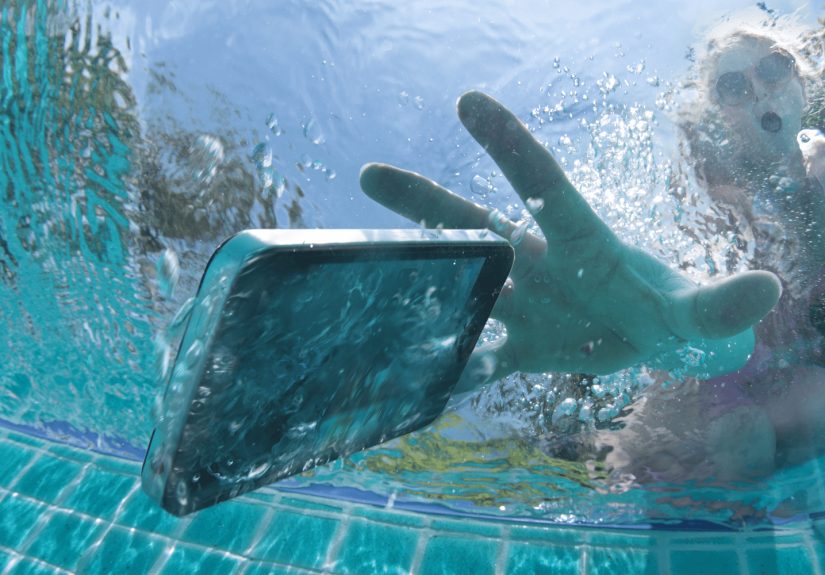
One second you’re scrolling, the next your phone is doing the backstroke in a sink, toilet, pool, or cup of coffee.
Heart rate: 200. Brain: pure static. Good news: a wet phone is not automatically a dead phoneif you react the right way.
Modern smartphones are tougher than the old flip-phone days, with many models rated water-resistant. But “water-resistant”
is not “invincible,” and the wrong move (like charging it while wet) can finish off a phone that might have survived.
Let’s walk through what to do immediately, what to never do, how long to let your phone dry,
and when it’s time to call a repair shop or your manufacturer.
Step One: Stay Calm and Act Fast
1. Get your phone out of the water immediately
The longer your phone stays submerged, the more moisture can sneak into tiny openings, causing corrosion and short circuits.
Grab it as quickly (and safely) as you can. If it fell into dirty or risky water (like a toilet or ocean), prioritize your own
safety and hygiene first.
2. Turn the phone off right away
Electricity and water are a terrible combo. Most manufacturers and repair pros recommend shutting the device down
immediately to reduce the risk of a short circuit inside the mainboard. If the screen is still responsive:
- Hold the power button and power it off normally.
- If it’s frozen, force a shutdown using your device’s key combo (e.g., volume + power on many Androids).
If the phone is already off, do not try to turn it on “just to check.” Treat it like a patient in recovery:
you don’t ask them to sprint right after surgery.
3. Remove the case, accessories, and cards
Take off any protective case, pop out the SIM tray, and remove microSD cards if your phone has them. If the battery is
removable (rare on modern phones but common on older ones), gently take it out. This helps water escape and prevents it
from being trapped behind plastic or rubber.
4. Blot, don’t bake: dry the outside
Use a soft, lint-free cloth or paper towel to gently pat the phone dry. Focus on:
- Charging port and headphone jack (if present)
- Speaker grilles and microphone holes
- Buttons, seams, and camera area
Hold the phone with the charging port facing downward and gently tap it against your hand to encourage excess liquid
to drain out. This mirrors what major manufacturers recommend: gravity is your friend here.
5. Let it drain and air-dry
Once you’ve removed visible moisture, place the phone in a dry, well-ventilated spot at room temperature. A table near a fan
is perfect. You want steady airflow, not heat. Leave the SIM tray open so moisture isn’t trapped inside.
What NOT to Do (These Mistakes Kill Phones)
When people panic, they get creativeand not in a good way. Here’s what you absolutely should not do with
a water-damaged phone.
1. Do not charge it
Plugging in a wet phone dramatically increases the risk of permanent damage. Water conducts electricity and can fry
charging circuits and other components. Manufacturers generally recommend waiting many hoursoften up to a
full daybefore charging, and only once you’re confident everything is dry.
2. Do not power it on repeatedly
Turning the phone off is good. Turning it back on every 10 minutes to “see if it’s okay” is not. If there’s moisture inside,
each reboot is a new chance for a short circuit. Treat the phone as “electrically off-limits” while it dries.
3. Skip the rice myth
Throwing your phone into a bag of rice is the internet’s favorite home remedybut experts and manufacturers increasingly
warn against it. Rice:
- Is not a great moisture absorber compared to proper desiccants.
- Can leave dust or tiny particles inside ports and speakers.
- Does nothing for water already deep inside the device.
If you want to use something to help dry the phone, silica gel packets (those “do not eat” packets from shoes
or electronics) are more effective and cleaner. But airflow and time are still the real heroes.
4. No hair dryers, ovens, or heaters
High heat can warp plastic, damage seals, and push moisture deeper into the phone. Hair dryers and heat guns also
blow air forcefully into ports, which can spread water around instead of removing it. Stick to room-temperature air.
5. Don’t shake or blow into the phone
Gentle tapping with the port facing down is fine. Vigorous shaking or blowing hard into openings can force water
deeper into the device. The goal is to let water fall out, not blast it further in.
Is Your Phone Water-Resistant? What IP Ratings Really Mean
Many newer phones advertise water resistance with IP ratings like IP67 or IP68. This means:
- IP67: Typically tested for immersion in up to about 1 meter (3.3 feet) of fresh water for up to 30 minutes.
- IP68: Often rated for 1.5 meters (5 feet) or more, again for limited time, in lab conditions with fresh water.
Sounds impressivebut there are big catches:
- Tests use still, clean fresh water, not waves, hot tubs, or chlorinated pools.
- Water resistance degrades over time thanks to drops, wear, and temperature changes.
- Most manufacturers do not cover liquid damage under warranty, even on IP-rated devices.
So yes, an IP-rated phone might survive a quick dunk better than an older modelbut it’s not a free pass to ignore the
drying steps. Treat “water-resistant” as “better odds,” not “can’t be hurt.”
Fresh Water vs Salt Water vs Spills: Why the Liquid Matters
Not all liquids are equally bad.
Fresh water (sinks, rain, clean puddles)
This is the “least bad” scenario. If the dip was short and your phone is water-resistant, your chances are decent.
Follow the standard steps: power off, dry, and air-dry thoroughly before charging.
Salt water (ocean, sea)
Salt water is much tougher on electronics. Salt is corrosive, and salty residue can keep eating away at components
long after the phone has dried. If your phone falls in the ocean:
- Rinse it briefly with clean fresh water (while it’s still off) to remove salt residue.
- Dry it thoroughly and let it air-dry longer than usual.
- Strongly consider a professional cleaning as soon as possible.
Chlorinated pool water
Pool water is chemically treated and can also be corrosive. The advice is similar to salt water: fresh-water rinse,
thorough drying, and watch for delayed problems like distorted audio or charging issues.
Sodas, coffee, juice, or other sticky drinks
Sticky liquids are a mess. They leave behind sugar and residues that can cause keys to stick, corrode contacts, and
attract more dust and grime.
- Power the phone off immediately.
- If possible, gently wipe with a cloth lightly dampened with clean water to remove stickiness from surfaces.
- Dry and air-dry thoroughly, then consider a professional cleaning if buttons or ports act weird.
How Long Should You Let a Wet Phone Dry?
This is the part nobody likes: you need patience. For more serious exposurefull dunk or lots of water in portsmany
repair pros suggest:
- At least 24 hours of air-drying before you try to power back on or charge.
- Up to 48 hours for peace of mind if the phone was fully submerged or got hit with salt/chlorinated water.
During this time:
- Leave the phone in a dry, room-temperature area with airflow.
- Optionally place it near (not on) a fan or in a container with silica gel packets.
- Resist the urge to “test it” every few hourspick a time and stick to it.
When the waiting period is over, start cautiously:
- Inspect for visible moisture in the charging port, SIM slot, or camera lenses.
- If everything looks clear, try powering it on without connecting a charger.
- If it boots, test basics: touch screen, audio, camera, speakers, and charging.
Common Signs of Water Damage (Even After It “Works”)
Sometimes a phone appears to survive, only to show subtle issues days or weeks later. Watch for:
- Muffled or crackling speakers during calls or music
- Distorted microphone audio (people can’t hear you clearly)
- Random shutdowns, reboots, or overheating
- Screen flickering, ghost touches, or hazy patches under the display
- Charging warnings or “liquid detected in port” messages
On some devices (especially iPhones), there are internal Liquid Contact Indicators (LCIs) that turn red
when exposed to moisture. Authorized service providers can check these and may use them to determine whether the device
is eligible for standard warranty service or considered liquid-damaged and out of coverage.
When to Call a Professional Repair Shop
DIY drying can only do so much. It’s a great first step, but professional technicians can:
- Open the phone safely without damaging seals and cables.
- Clean internal corrosion starting to form on the board or connectors.
- Replace specific damaged parts like charging ports, speakers, or batteries.
Consider calling a repair shop if:
- The phone doesn’t power on after thorough drying.
- It powers on but can’t charge or hold a charge.
- There’s visible corrosion around the charging port, SIM tray, or inside the phone (if opened).
- Critical features (screen, audio, connectivity) behave erratically.
Also check:
- Manufacturer support: They can confirm what’s covered and whether repair or replacement is recommended.
- Insurance or protection plans: Many phone insurance policies specifically list liquid damage as a claimable event.
How to Prevent Future Phone-in-Water Emergencies
Once you’ve survived one water incident, you’re usually much more motivated to avoid a sequel. A few practical habits can
dramatically lower your risk.
Use a case with real drop and splash protection
A good quality case with port covers and raised edges offers extra protection against splashes and brief contact with water.
It won’t make an unsealed phone magically waterproof, but it may keep water away from sensitive ports long enough for you to react.
Keep liquids and bathrooms as “phone-danger zones”
Most phones meet their watery end in:
- Bathrooms (toilets, sinks, tubs)
- Kitchen sinks and counters
- Pools and boats
Try to make a rule for yourself: if you’re near open water and don’t absolutely need your phone, put it in a safe, dry spot.
Your notifications can survive a 20-minute delay.
Back up your data regularly
Even if your phone is fully insured, your photos and files are not. Use cloud backup services or regular computer backups so that
if the worst happens and the phone can’t be saved, your memories and documents still are.
Real-World Experiences & Extra Tips If You Drop Your Phone in Water
Let’s get a bit more practical and talk through what this looks like in real life. Imagine three different people having
a very bad, very wet day.
Scenario 1: The toilet drop (we’ve all been there)
Alex keeps their phone in their back pocket. One unlucky flush later, the phone takes a dive. Alex immediately fishes it out,
hits the power button to “see if it’s OK” andbig mistakestarts scrolling to make sure everything still works.
At first it seems fine. A few hours later, the screen starts flickering and the phone randomly shuts off. Moisture that was
inside the device had time to move around and short components that were powered on.
What Alex should have done:
- Turn it off instantly without testing.
- Remove the case, SIM tray, wipe it off, and leave it to dry for at least 24 hours.
- Only then attempt to power it back onand, if it acted strange, head straight to a repair shop.
Scenario 2: The pool plunge with a “water-resistant” phone
Jordan owns a flagship phone with IP68 water resistance. While taking pool selfies, the phone slips into the water, spends
about 10 seconds at the bottom of the shallow end, and then is scooped up.
Because the phone is water-resistant, Jordan is tempted to shrug and keep using it. But chlorine is harsh on seals and metals,
and longer-term corrosion can still develop.
Smart move for Jordan:
- Power the phone off immediately despite the IP rating.
- Rinse it quickly with clean, fresh water to reduce chlorine residue.
- Dry thoroughly and air-dry for a day before using it heavily or charging.
- Monitor over the next week for speaker issues, charging problems, or odd behavior.
Scenario 3: Coffee spill on your morning commute
Taylor sets their phone down next to a to-go coffee cup. A bump on the train and suddenly there’s a puddle of latte over the
phone’s screen and speakers. This isn’t a full dunk, but sticky liquid can be just as problematic as water.
Best response for Taylor:
- Turn the phone off, even if it “looks fine.”
- Wipe off as much coffee as possible with a soft, slightly damp cloth, followed by a dry one.
- Pay extra attention to the speaker and charging port to remove residue from the outside.
- Allow it to dry thoroughly before turning back on and plugging in.
Helpful habits if you live a wet-phone lifestyle
Some people just seem magnetically drawn to spills and splashes. If that’s you, a few long-term strategies help:
- Choose your next phone wisely. Look for models with strong water-resistance ratings and solid build quality.
- Invest in a rugged or waterproof case. Great for beach trips, boating, or working near water.
- Keep a small “rescue kit.” A microfiber cloth and a few silica gel packets in your bag can help if disaster strikes away from home.
- Learn your device’s emergency steps now, not later. Knowing how to force-restart or quickly power off your model can save crucial seconds.
Big picture, the key to surviving a phone-in-water moment is a mix of speed, self-control, and
patience. Get the phone out quickly, power it off, dry it carefully, and then give it the time it needs. Resist
the urge to blast it with heat or charge it right away and you’ll give your device the best possible chance at a full recovery.
Conclusion: You Dropped ItNow Don’t Panic
Dropping your phone in water is never fun, but it doesn’t have to be a guaranteed electronic funeral. The right moves
in the first few minutesturning it off, drying it gently, avoiding heat and charging, and letting it air-drycan dramatically
improve your odds.
Understand your phone’s water-resistance limits, pay attention to the kind of liquid it fell into, and be realistic about when
to call a professional repair service. And next time you’re walking near a pool with your phone in your back pocket?
Maybe use both hands.