Table of Contents >> Show >> Hide
- Why finding new content on YouTube can feel harder than it should
- How YouTube decides what you see
- How to find new content on YouTube on mobile
- How to find new content on YouTube on desktop
- Best search ideas for discovering truly new creators
- How to improve recommendations so new content appears naturally
- Common mistakes that make YouTube discovery worse
- A simple discovery routine that actually works
- Experience: what actually happens when you use YouTube this way
- Conclusion
- SEO Tags
YouTube is amazing, chaotic, brilliant, weird, educational, hilarious, and occasionally as organized as a teenager’s sock drawer. That is part of the charm. It is also part of the problem. If you open the app or site hoping to find something fresh, you can end up seeing the same creators, the same topics, and the same suspiciously enthusiastic thumbnail faces over and over again.
The good news is that finding new content on YouTube is not just luck. There are smart ways to train the platform, use the right tabs, search with intent, and uncover channels that do not already dominate your home feed. Whether you use YouTube on a phone, tablet, laptop, or desktop computer, this guide will show you how to discover new videos, new creators, and new niches without wandering into the digital wilderness for three hours and somehow ending up watching a man restore a 1987 toaster.
Note: YouTube’s labels, icons, and menu placement can change slightly depending on your device, app version, region, and whether you are signed in.
Why finding new content on YouTube can feel harder than it should
YouTube is enormous. New videos are uploaded at a mind-bending pace, so discovery is not really about a lack of content. It is about filtering the flood. That is why YouTube does not simply show everything in order. Instead, it tries to predict what you are most likely to watch, click, or keep watching.
That sounds useful, and sometimes it is. But it also means YouTube can get stuck in a loop. Watch two desk setup videos and suddenly your feed behaves like you are training to become a full-time cable-management monk. Search for one documentary about space and YouTube may decide you now live on Mars emotionally.
If you want to find new content on YouTube, the trick is to stop using only the default home feed. The home feed is convenient, but it is only one discovery surface. Search, filters, Explore, Subscriptions, notifications, channel pages, playlists, and even your own watch history all affect what you see next.
How YouTube decides what you see
Search results are personalized, not purely neutral
When you search on YouTube, the platform is not pulling results from a magical hat. It looks at relevance, engagement, and quality. That means titles, descriptions, topics, viewer behavior, and channel trust signals all matter. Your search and watch history can also influence what appears first. In plain English, two people can type the same query and get different results.
That matters because if you keep searching in the same vague way, you will often keep seeing the same kind of results. To find new content, your search terms need to become more specific and more intentional. The search bar is not just for “funny videos” or “workout.” It works much better when you give it direction.
Your Home feed is a mirror, not a map
The Home tab is excellent at reflecting your recent habits. It is much less reliable at introducing genuinely unfamiliar creators. If your current habits are narrow, your Home feed may become narrow too. That is why discovery requires a little active steering.
Luckily, YouTube gives you tools to do that. You can mark videos as “Not interested,” tell YouTube not to recommend a channel, clear or pause history, and reduce certain types of recommendations such as Shorts. These actions help reset the signal you are sending.
Different tabs serve different discovery jobs
If you use only one tab, you are using only one doorway. Search helps you hunt. Explore helps you browse categories. Subscriptions helps you keep up with chosen creators. The You tab helps you revisit saved content, playlists, and history. Smart discovery comes from using all of them together instead of relying on the algorithm to read your mind.
How to find new content on YouTube on mobile
1. Use Search and Filters like a grown-up
On the YouTube mobile app, type a topic into Search and then open Filters. This is one of the fastest ways to escape repetitive recommendations. Filters can narrow results by things like upload date, duration, subtitles, and content type. That means you can move from broad chaos to useful precision in seconds.
For example, instead of searching budget travel, try:
budget travel Japan 2026
budget travel Japan carry-on only
budget travel Japan first-time mistakes
Then filter for recent uploads if you want fresh takes, or longer videos if you want deeper advice. This simple move helps you find channels that are active now, not just channels that won the algorithm lottery three years ago.
2. Tap Explore when your Home feed gets stale
The Explore tab is one of the most overlooked discovery tools on mobile. It lets you jump into major categories such as gaming, music, sports, news, podcasts, fashion, learning, and more. Think of it as a curated set of doorways instead of a single hallway.
This is especially useful when you know the general category you want, but not the creator yet. Maybe you want cooking content, but you are tired of the same celebrity chef clips. Explore gives you a broader pool. It is a better place to begin when you want variety instead of another rerun from the same three channels.
3. Use “New to you” when it appears
If you see the New to you option on your Home experience, use it. It exists specifically to help you discover creators and topics beyond your usual recommendation loop. This is one of those features that feels small until you realize it can shake loose an entire feed that has become too predictable.
When your YouTube home page starts feeling like leftovers, “New to you” is the fresh side dish.
4. Train the algorithm without rage-quitting
If your mobile Home feed is serving a parade of videos you do not want, tap the three-dot menu on a recommendation and choose options like Not interested or Don’t recommend channel. Do this consistently. YouTube is not offended. It is data-driven, not dramatic.
You can also choose to see fewer Shorts on certain surfaces if Shorts are crowding out the longer videos you actually want. This can be surprisingly helpful if you are trying to discover thoughtful channels and your feed has turned into a fireworks show of 22-second clips.
5. Use Subscriptions better, not just more
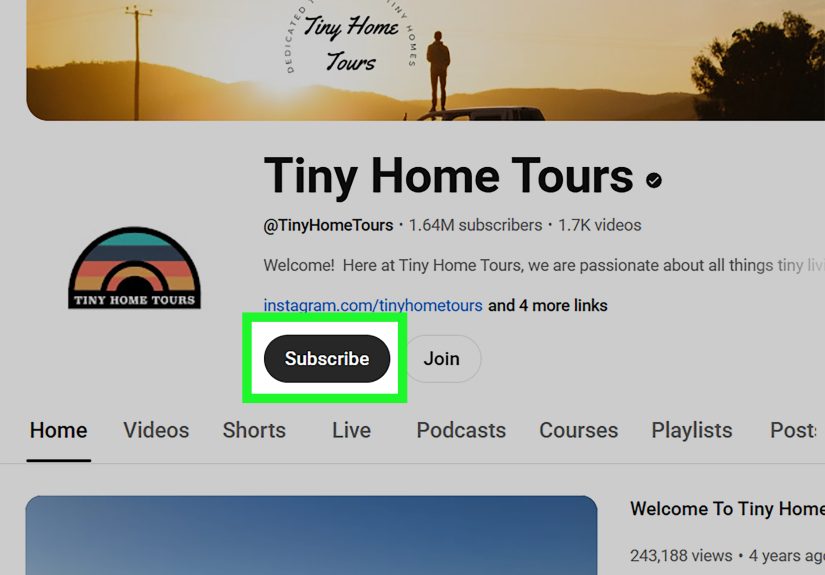
Subscribing is not just about loyalty. It is a discovery tool. Once you subscribe to channels you genuinely like, their new videos appear in your Subscriptions tab, and YouTube can recommend related creators you are not already following. On mobile, you can also manage the bell notification for each channel and choose All, Personalized, or None.
If you are serious about finding fresh content, use subscriptions strategically. Subscribe to a few smaller or niche creators, not just giant channels. That helps diversify what YouTube shows you next.
6. Use the You tab, Watch Later, and playlists as discovery tools
The You tab is not glamorous, but it is useful. It gives you access to watched videos, saved videos, downloads, purchases, account settings, and more. If you save promising videos to Watch Later or organize them into playlists, you create your own discovery system. That matters because sometimes the best new content is not what YouTube pushes at you. It is what you intentionally collect.
A smart habit is to create playlists by topic such as New creators to try, Weekend learning, or Cooking channels worth testing. That way, when you discover something interesting, it does not vanish into the abyss five minutes later.
How to find new content on YouTube on desktop
1. Use search filters more aggressively
Desktop YouTube gives you more room to browse and compare results. After searching, use Filters to sort by result type such as video, short, playlist, movie, or channel. This is extremely helpful if you are trying to discover not just one clip, but a whole channel or playlist worth following.
Say you search beginner watercolor. If you switch the filter to Channel, you can quickly spot creators that specialize in that niche. If you switch to Playlist, you may find an entire beginner series instead of random one-off uploads. That is a huge difference.
2. Open channel pages and scan before committing
Desktop makes channel evaluation easier. Open the creator’s channel and look at the Home, Videos, Shorts, Live, Playlists, and Posts areas if available. A good channel page tells you whether the creator is active, consistent, and worth following. One great video is nice. A reliable library is better.
Look for patterns. Do they cover the topic regularly? Are the newest uploads still strong? Do they make playlists that help you start from the beginning? A little inspection saves you from subscribing to a channel that uploaded one excellent tutorial in 2022 and then disappeared into the fog.
3. Use the Subscriptions feed as your “fresh content” dashboard
On desktop, the Subscriptions feed is one of the cleanest ways to keep up with new uploads from channels you chose on purpose. It is less noisy than Home and better for spotting what is new right now. If a subscribed channel is live, that is often flagged clearly too.
This is the place to go when you want fewer algorithmic guesses and more actual updates from creators you trust.
4. Turn notifications into a filter, not a fire hose
Do not turn on all notifications for every channel unless you enjoy digital chaos. Use All only for the creators you never want to miss. Use Personalized for channels you like but do not need immediately. That way, you discover fresh uploads without turning your phone or browser into a constant parade of bells and banners.
5. Explore with intention, not doom-scrolling
Desktop makes it easy to open multiple tabs, compare channels, save things to Watch Later, and build a discovery trail. A useful pattern is this: search a topic, open two or three promising creators in new tabs, scan their recent uploads, save the best one, and subscribe only if the channel has depth. That method is boring compared with random scrolling, but it works much better.
Best search ideas for discovering truly new creators
Search narrower, not louder
Many people search too broadly. Broad terms usually surface the biggest channels first. To uncover smaller or fresher voices, add qualifiers such as:
for beginners
small channel
2026
no commentary
long-form
explained simply
deep dive
under 10 minutes
For example:
personal finance for freelancers 2026
small woodworking channels
beginner yoga full routine no music
history documentaries long-form underrated
This helps YouTube understand what kind of “new” you actually want. New topic. New creator. New upload. New format. Those are different goals.
Search for playlists and channels, not just videos
If you only search for individual videos, discovery stays shallow. Search for channels when you want a consistent creator. Search for playlists when you want a guided path. Search for Shorts when you want quick sampling. Search for long videos when you want expertise, not just snack content.
Use related videos carefully
After watching a strong video, check the related recommendations. This can work well if the original video was highly specific. But if you start from a generic viral clip, the related column may become a popularity contest. Start specific if you want specific results.
How to improve recommendations so new content appears naturally
If you want better discovery tomorrow, you need better signals today. Remove irrelevant searches from your history. Delete watch history items that no longer reflect your interests. Pause history when you are researching something temporary. Use “Not interested” when recommendations miss the mark. Tell YouTube not to recommend channels you do not want in rotation.
Also, like the videos you genuinely enjoy. This sounds obvious, but it matters. Your likes, watches, and subscriptions all contribute to the picture YouTube builds around your interests. If you want more thoughtful science explainers, reward them. If you want less prank content, stop feeding it accidental clicks.
Common mistakes that make YouTube discovery worse
Relying only on Home
Home is convenient, but it is not the whole platform. If you never leave it, YouTube keeps handing you more of what already worked.
Searching with one-word queries
One-word searches are magnets for broad, repetitive results. Specific language gets better discovery.
Subscribing without evaluating the channel
A flashy thumbnail is not a long-term relationship. Check the channel page first.
Ignoring filters
Filters are one of the easiest ways to find fresh uploads, longer tutorials, playlists, or niche channels. Too many people forget they exist.
Letting one temporary interest hijack your feed
Watch one week of aquarium videos and suddenly your recommendations think you are opening a fish spa. If an interest is temporary, manage your history accordingly.
A simple discovery routine that actually works
Here is a practical routine for both mobile and desktop:
Start with one specific topic. Search it using a detailed phrase. Apply filters. Open at least three results from different creators. Check one channel page for depth. Save one video to Watch Later. Subscribe to one creator if the channel has a strong library. Mark one bad recommendation as Not interested. Then check Explore for one related category.
That may sound small, but repeated over a week, it can completely change the quality of your YouTube experience.
Experience: what actually happens when you use YouTube this way
In real life, the biggest change is not magical. It is gradual. The first day you start using filters, better search phrases, and recommendation controls, YouTube will not suddenly transform into your perfectly curated dream library. It is more like steering a giant cruise ship with a teaspoon. The shift happens because your behavior becomes more consistent than the algorithm’s assumptions.
For example, imagine that you usually open YouTube on your phone while standing in line somewhere, tap whatever appears on Home, and let autoplay do the rest. That habit teaches YouTube to keep serving fast, easy, familiar content. It does not mean you actually prefer that forever. It just means that is what your quick behavior has rewarded.
Now compare that with a more intentional pattern. You open the app, search for a topic you are genuinely curious about, filter for recent or longer videos, save two promising uploads, mark one low-quality recommendation as Not interested, and subscribe to a channel that explains things clearly. You have just given YouTube better information. Repeat that for a few days and the platform usually starts behaving less like a carnival barker and more like a useful librarian who still occasionally wears neon.
Desktop discovery often feels even better because it is easier to compare. You can open a few creators side by side, skim their latest uploads, check playlists, and decide whether they are worth following. That matters because good discovery is not only about finding one good video. It is about finding a creator or series that keeps paying off. A single excellent video is fun. A reliable channel is value.
Mobile discovery, on the other hand, is all about reducing friction. If you get into the habit of using Search plus Filters before mindlessly tapping Home, your phone becomes much better at helping you find fresh content fast. The key is to treat your small-screen time like a quick scouting mission. Save interesting videos. Build playlists. Use the You tab. Then, when you have more time later, you already have a handpicked queue instead of a random pile of algorithmic confetti.
One of the most noticeable changes is variety. When people say YouTube feels repetitive, they are usually describing a recommendation loop, not the actual platform. Once you use Explore, channel pages, playlists, and subscriptions together, the platform starts feeling much bigger. You begin to notice smaller creators, more specialized experts, and formats you were not seeing before. Maybe you discover a quiet history channel with incredible research, a cooking creator who explains technique without shouting, or a fitness coach who teaches real form instead of just dramatic suffering under LED lighting.
The other major change is trust. Random scrolling often produces random disappointment. Intentional discovery produces fewer regrets. You stop wasting time on videos that looked interesting for twelve seconds and become annoying by minute two. You also build a more personal YouTube experience over time, one that reflects what you actually care about instead of what you clicked while half-asleep.
That is the real experience of finding new content on YouTube. It is not about beating the platform. It is about collaborating with it more intelligently. Once you do that, mobile and desktop both become far more useful, and YouTube starts feeling less like a slot machine and more like a tool you control.
Conclusion
If you want to find new content on YouTube, do not wait for the algorithm to suddenly become your soulmate. Use Search with better keywords, apply Filters, browse Explore, refine your Home feed with feedback tools, organize videos through the You tab and Watch Later, and use Subscriptions strategically on both mobile and desktop.
The platform already has the content. More than enough of it, in fact. Your job is to stop wandering and start navigating. Do that well, and YouTube becomes less repetitive, more useful, and a lot more fun. You may still end up watching a 14-minute video about restoring antique kitchen gadgets, but now at least it will be on purpose.