Table of Contents >> Show >> Hide
- What Exactly Changed on the Pixel 10?
- Why This Feels So Unexpected
- How the Feature Works
- Why Pixel 10’s New Sharing Skill Matters
- Security and Privacy: The Part That Actually Matters
- There Are Still Limits, of Course
- What This Means for the Future of Android File Sharing
- Is This a Reason to Buy a Pixel 10?
- Experience: What It Feels Like When Pixel 10 Finally Stops Making Sharing Weird
- Conclusion
If you have ever stood next to an iPhone user while clutching your Android phone like a confused tourist, you know the drill. They say, “I’ll just AirDrop it,” and suddenly you are the one person at the party holding up progress. Then begins the ancient ritual of texting yourself, emailing yourself, sending a cloud link, or pretending you did not really need that video anyway.
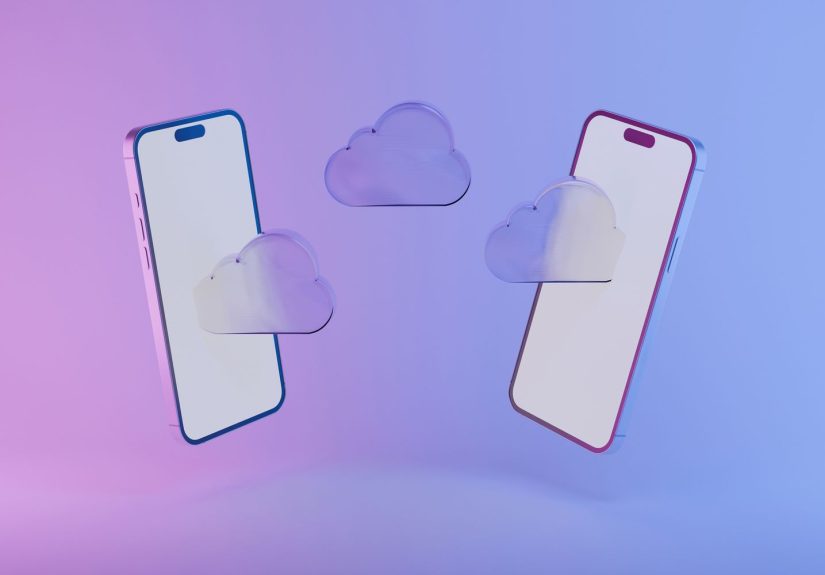
That is exactly why the Pixel 10’s newest trick feels so surprising. Google gave the Pixel 10 family something many Android users probably assumed would never happen: the ability for Quick Share to work with Apple’s AirDrop. In plain English, that means a Pixel 10 can now send files to nearby iPhones, iPads, and Macs without weird workarounds, third-party apps, or the usual “Can you just WhatsApp it?” compromise.
For years, AirDrop was one of Apple’s most useful ecosystem perks. It was fast, simple, and annoyingly effective. Android had Quick Share, which worked well inside the Android world, but cross-platform file sharing still felt like trying to pass a note through two locked doors. The Pixel 10 changes that story in a big way. And while the feature first arrived as a Pixel 10 headline-grabber, the bigger lesson is about where mobile ecosystems are headed next: less wall, more doorway.
What Exactly Changed on the Pixel 10?
The headline is simple: Quick Share on the Pixel 10 gained interoperability with AirDrop. That means Pixel 10 users can detect compatible Apple devices nearby and send files directly through the familiar Quick Share interface. The Apple user still sees the transfer through AirDrop, accepts it, and the file comes through like a normal transfer on their side.
That may sound modest, but in practice it is a pretty huge quality-of-life upgrade. Photos from a family dinner can move from Pixel to iPhone without compression. A PDF can jump from Android to a coworker’s MacBook without turning into a scavenger hunt. A video clip can cross the Android-iPhone border without needing a cloud folder, messenger app, or prayer circle.
Even better, the feature does not just work in one direction. The setup also allows Apple devices to send files back to supported Pixel phones, so the experience is not a one-way bridge. It is more like Google built a peace treaty into the share sheet.
Why This Feels So Unexpected
AirDrop has long been one of Apple’s signature conveniences, and it has historically stayed inside Apple’s own garden walls. That is part of what made this Pixel 10 update so shocking. Google did not merely make Quick Share better. It made Quick Share useful in a place where Android phones usually hit a dead end: sharing directly with Apple devices.
That matters because file sharing is one of those “small” features that quietly shape everyday behavior. People do not usually buy a phone because of a transfer protocol. But they absolutely notice when sharing photos after a trip becomes effortless on one device and awkward on another. Friction adds up. Ecosystems become sticky because they make simple things feel automatic.
So yes, the Pixel 10 gaining an AirDrop-like skill is unexpected. But it is also practical in the most boringly important way possible. It solves a real annoyance people run into all the time.
How the Feature Works
Google kept the experience surprisingly familiar. On the Android side, you choose a file, tap Share, then select Quick Share. If a nearby compatible Apple device has AirDrop visibility set correctly, it should appear as a target. The Apple user receives the AirDrop prompt and approves the transfer.
Under the hood, the process is smarter than it looks. Quick Share uses Bluetooth to discover nearby devices, then transfers files through a fast local connection. Google says the sharing path is direct and peer-to-peer, which is important because it means the content is not being routed through a random server in the sky while your photo waits in digital limbo.
What the recipient needs to do
- Turn on AirDrop visibility to Everyone for 10 Minutes on the Apple device.
- Stay nearby with Bluetooth and Wi-Fi enabled.
- Accept the transfer prompt when it appears.
What the Pixel user needs to do
- Open the file, photo, video, or document.
- Tap Share, then Quick Share.
- Select the nearby iPhone, iPad, or Mac.
- Wait for the Apple user to accept.
That is the beauty of it. No extra social choreography. No “download this app first.” No cloud-link gymnastics. Just send, accept, done.
Why Pixel 10’s New Sharing Skill Matters
The real value here is not technical bragging rights. It is convenience. Cross-platform households are normal now. One person uses an iPhone, another carries a Pixel, someone else has a MacBook, and the family group chat is hanging on by a thread. In that environment, simple file sharing becomes a daily need, not a niche trick.
The Pixel 10 suddenly looks more flexible because it can move content across those device boundaries with less pain. That makes the phone more appealing to mixed-device families, students, creators, and office workers who regularly bounce between operating systems.
It also strengthens Google’s case that Android can deliver premium polish, not just power-user freedom. AirDrop has long been one of those features Apple users brag about with the smug confidence of people who know it actually works. Quick Share interoperability gives Pixel owners a rare chance to answer, “Yeah, mine does that too.”
Security and Privacy: The Part That Actually Matters
Whenever a company says, “Good news, your phone now talks to the other phone,” the next reasonable question is, “Cool. Should I panic?” Google clearly knew that would come up, so it emphasized the privacy and security side of this feature from the start.
According to Google, the connection is direct and peer-to-peer, shared content is not logged, and no extra data is shared. The company also said the interoperability layer was built with strong safeguards and independently assessed by outside security experts. In other words, this is not supposed to be a sketchy duct-tape workaround. It is intended to function like a proper, modern sharing system.
Users also stay in control. Transfers still require approval. Your phone is not suddenly becoming a public inbox for surprise files from the parking lot. And because the Apple side uses the temporary Everyone for 10 Minutes setting, visibility is not meant to stay wide open forever. It is a timed window, not an all-day open house.
There Are Still Limits, of Course
As exciting as this is, the Pixel 10 did not magically erase every platform boundary in Silicon Valley. A few limitations remain, and they are worth knowing.
1. It is not universal on every Android phone
The feature began with the Pixel 10 family, and Google later updated official support language to include Pixel 9 devices as well, except for the Pixel 9a. Broader Android expansion is expected, but that does not mean every random Android handset on earth is ready today.
2. Apple’s visibility setting is still part of the dance
To make the transfer work, the Apple user usually has to switch AirDrop to Everyone for 10 Minutes. That is not difficult, but it is still one extra step. This is not yet the kind of “it just knows your contacts” cross-platform magic some users may dream about.
3. Compatibility can depend on the right software setup
Google’s support documentation notes that some devices may require the Quick Share Extension to be installed or updated. Translation: if it does not work immediately, that does not always mean the feature is broken. Sometimes your phone just needs a digital coffee and an update.
4. It is seamless, but not invisible
The user still has to approve transfers, remain in range, and keep the proper wireless settings on. That is normal, but it reminds us this is interoperability, not mind reading.
What This Means for the Future of Android File Sharing
The bigger story is not just that the Pixel 10 can now play nice with AirDrop. It is that Google is treating cross-platform convenience as a competitive advantage. That is smart. People are no longer living inside neat one-brand bubbles. They mix devices, apps, services, and platforms constantly.
If Android wants to feel more approachable to mainstream buyers, it needs fewer moments that make users feel like outsiders when they are standing next to Apple gear. Messaging was one front in that battle. File sharing is another. The Pixel 10’s unexpected AirDrop skill shows Google understands that premium smartphone experiences are built from dozens of small conveniences, not just megapixels and benchmark scores.
There is also a branding win here. “Quick Share works with AirDrop” is the sort of plain-language benefit consumers understand immediately. They may not care about kernel architecture, advanced AI features, or chipset naming drama. But they do care whether a photo can move from one phone to another in five seconds without losing quality or their patience.
Is This a Reason to Buy a Pixel 10?
On its own, probably not. Very few people upgrade phones based on one sharing feature, unless they are extremely passionate about avoiding cloud links. But as part of the larger Pixel 10 package, it absolutely adds value.
If you live in a mixed-device household, work with Apple users, or constantly trade photos and documents across platforms, this feature makes the Pixel 10 more convenient than older Pixels and a lot easier to recommend. It reduces one of Android’s long-running annoyances in a way that users will actually feel in everyday life.
In other words, it is not the flashy reason to buy the phone. It is the smart reason you appreciate three weeks later.
Experience: What It Feels Like When Pixel 10 Finally Stops Making Sharing Weird
The most interesting part of this story is not the protocol or the press release. It is the human experience. For years, Android and iPhone users developed little coping habits around file sharing. If you used Android, you learned to keep Google Drive handy. If you used an iPhone, you probably assumed the Android person would “figure something out.” Nobody loved this arrangement, but everybody tolerated it.
Now imagine a very ordinary moment: you are at a birthday dinner, somebody takes a group photo, and the friend with the Pixel 10 wants to send the full-resolution shot to the two iPhone users at the table. In the past, this is where quality usually got sacrificed or the transfer got delayed until everyone forgot about it. With the Pixel 10’s new sharing ability, the handoff can happen on the spot. It feels less like a technical breakthrough and more like social friction disappearing.
That kind of change matters because people remember convenience emotionally. Nobody goes home thinking, “What a wonderful peer-to-peer interoperability layer.” They think, “Nice, that was easy.” That feeling is powerful. It changes how people judge products, and it changes which annoyances they are willing to tolerate.
There is also something oddly satisfying about the symbolism here. Android users have spent years hearing AirDrop talked about like a private club with a velvet rope. The Pixel 10 does not destroy the club, but it does let Android walk through the front door more often. That matters for confidence as much as utility. It helps Pixel feel less like the “other phone” in mixed-device circles.
For creators and professionals, the benefit is even more practical. A photographer reviewing images on a Mac, a student sharing lecture slides with classmates, a parent moving videos between family devices, or a coworker sending a PDF across a conference table all benefit from fewer transfer obstacles. When the tool is built into the share menu, people actually use it. When the tool requires three app installs and a mini tutorial, they do not.
There will still be edge cases, small hiccups, and the occasional “Why is this person not showing up?” moment. That is true of nearly every wireless sharing system ever made. But the experience no longer feels fundamentally broken across platforms. That is the real shift. The Pixel 10 is not just mimicking AirDrop’s convenience; it is helping normalize the idea that sharing across ecosystems should be routine, not remarkable.
And maybe that is the most unexpected part of all. The Pixel 10’s AirDrop skill is cool, yes. But the real magic is how quickly a feature like this can go from “Wait, it can do that?” to “Of course my phone should do that.” Once users get a taste of cross-platform sharing that simply works, going back to the old awkward methods will feel about as charming as faxing yourself vacation photos.
Conclusion
The Pixel 10’s unexpected AirDrop skill is one of those deceptively important features that says a lot about where smartphones are going. Google did not just add a neat trick. It solved a stubborn everyday annoyance and made Android feel more natural in a world where people constantly share across platforms.
The result is not perfect, and it still depends on a few compatibility rules and visibility settings. But it is real progress. Quick Share working with AirDrop makes the Pixel 10 more practical, more flexible, and more appealing to anyone tired of the old Android-versus-iPhone file-sharing headache.
For users, the takeaway is simple: sharing should not be a loyalty test. On the Pixel 10, it increasingly is not.