Table of Contents >> Show >> Hide
- First, figure out which kind of mophie you have
- How to charge a mophie battery case or juice pack case
- How to charge a mophie juice pack accessory
- How to charge a mophie powerstation
- How to charge a mophie station, charging base, or 3-in-1 travel charger
- What the mophie LED lights usually mean
- Troubleshooting: why your mophie is not charging
- How to make your mophie last longer
- Real-world experiences: what charging a mophie is actually like
- Final takeaway
- SEO Tags
If you have ever stared at a mophie on your desk and wondered, “Are you charging, helping, blinking for a reason, or just judging me?” you are not alone. Mophie makes several kinds of chargers, and that is exactly why charging one can feel more confusing than it should. A battery case charges differently from a juice pack accessory. A powerstation behaves differently from a charging station. And some models are happy on a wireless pad, while others want a cable and a proper wall adapter like tiny power-hungry royalty.
The good news is that charging a mophie is not difficult once you know which product you own and how that model is designed to work. In this guide, we will walk through how to charge a mophie battery case, how to charge a juice pack, how to recharge a powerstation, and how to set up a mophie station or travel charger the right way. We will also cover LED lights, common charging mistakes, troubleshooting steps, and a few real-world lessons that can save you time, battery life, and a decent amount of low-battery panic.
First, figure out which kind of mophie you have
Before you plug in anything, identify the product family. This matters because “how to charge a mophie” is really four different questions wearing the same outfit.
1. Mophie battery case or juice pack case
This is the case that fits around your phone and has a built-in battery. It may include a status button, LED battery lights, pass-through charging, or priority charging. Some older or wireless-ready models can recharge on compatible wireless charging systems, while many newer ones depend on wired charging through the case design itself.
2. Mophie juice pack accessory
This category includes products like detachable juice pack accessories, snap-on battery packs, and wireless add-ons. Some attach magnetically, some charge wirelessly, and some can themselves be recharged on a Qi pad or stand.
3. Mophie powerstation
This is the portable power bank version. It is not a phone case. You charge the powerstation itself first, then use it to charge your phone, earbuds, tablet, or other device by cable, and sometimes wirelessly depending on the model.
4. Mophie charging station or travel charger
This is the desktop or bedside setup, such as a wireless stand, 3-in-1 travel charger, or charging base. These are designed to stay plugged into wall power while charging your devices on dedicated surfaces.
If your mophie has a big battery inside and wraps your phone, you are dealing with a battery case. If it lives in your bag like a backup snack for your phone, it is probably a powerstation. If it sits on your nightstand and looks organized enough to make the rest of your room feel inadequate, it is a charging station.
How to charge a mophie battery case or juice pack case
Charge it fully before first use
This is the part most people skip, then blame the charger. Don’t. Before you use a mophie battery case for the first time, give it a full charge. On many models, the easiest way to confirm that is by pressing the charge status button and checking whether all four LED lights appear. If all four are lit, you are good to go.
How to recharge the case itself
For most mophie battery cases, the process is straightforward. Make sure the phone is seated correctly inside the case. Then connect the case to the recommended charging cable or adapter for that model. In many cases, plugging the charger into the case will recharge both the phone and the case together. Some models use pass-through or priority charging, which means the phone gets topped off first and the case battery charges afterward. That is not a malfunction. That is the case doing its job like a responsible adult.
If your case includes a standby or status button, use it to check the remaining charge. On some models, that same button also helps activate charging behavior when the case is connected to a device. If your phone is not receiving a charge from the case, check the LEDs first. No lights usually means the case itself needs to be recharged.
Can you charge a mophie case wirelessly?
Sometimes yes, sometimes absolutely not, and that is where people get tripped up. Certain mophie juice pack and charge force models were designed to work with wireless charging bases or magnetic wireless systems. Some newer accessory-style juice packs can also be recharged wirelessly on a Qi-enabled pad or stand. But not every current battery case supports wireless recharging while attached. That is why the safest rule is simple: check your specific model and do not assume every mophie case can be dropped onto a pad and magically behave.
If your model does support wireless charging, place it carefully and center it on the pad or base. With some mophie systems, magnets help align the case correctly. If alignment is off, charging may be slow, intermittent, or nonexistent. In other words, close enough is not always close enough.
Best practices for battery case charging
- Use a wall outlet rather than a tired old computer USB port.
- Use the supplied or recommended cable and charger whenever possible.
- Check that the phone is fully seated inside the case.
- Watch the LED status lights instead of guessing.
- Let the case cool down if it feels unusually warm.
- Do not yank the phone out while the case is actively charging it.
How to charge a mophie juice pack accessory
A detachable or snap-on juice pack is usually simpler than a full battery case, but it still helps to know the rhythm. First, recharge the juice pack itself. Depending on the model, that may happen through a cable, through a USB-C input, or wirelessly on a Qi charging pad or stand. Once the juice pack has power, attach it to your phone the way the product is designed to connect. That may be magnetic attachment, case-based alignment, or another supported fit system.
When the battery is low, press the status button if your model includes one. LEDs will usually show the remaining battery level. If the pack is attached but your phone still is not charging, reposition it, check the battery status, and confirm that charging has actually started. Some mophie battery products require a longer button press to begin sending power to the connected device. That tiny detail causes a surprising amount of unnecessary drama.
For wireless-capable juice pack models, recharge them on a compatible charging pad or stand and make sure the surface is receiving enough power from a real wall adapter. Wireless chargers are convenient, but convenience falls apart fast when the power source behind the pad is too weak.
How to charge a mophie powerstation
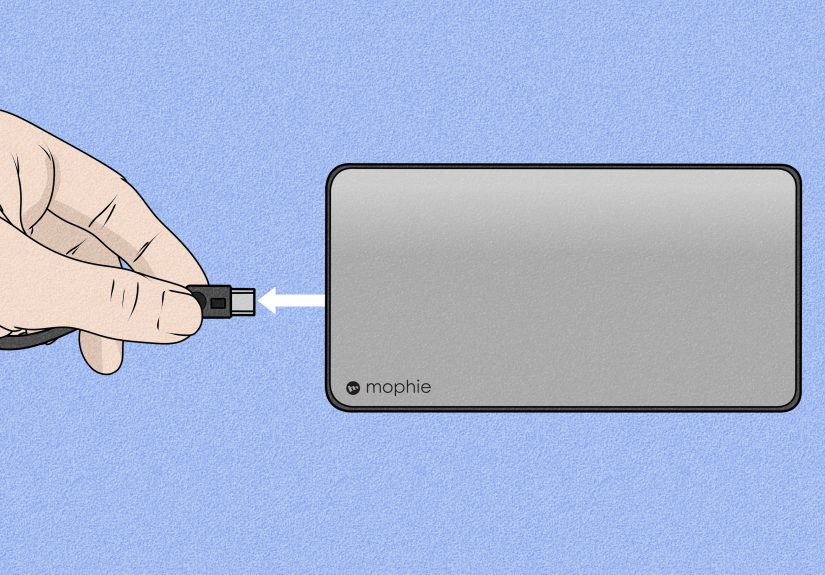
If you own a mophie powerstation, think of it as a backup battery tank. It needs to be charged before it can charge your other devices. Many current powerstation models use USB-C input and output, while older models may use other connections. The general process is the same.
Step 1: Recharge the powerstation
Connect the powerstation to its charger using the appropriate cable. Plug it into a wall outlet or approved power source and let it charge fully before first use. Most models use four LED lights to indicate charge level. On many mophie powerstations, a full charge means all four status LEDs are lit when you press the status button.
One detail that catches people off guard: some support guidance notes that the fourth light may still blink while the powerstation is plugged in, even when the unit is effectively full. If you want to verify a full charge, unplug it and press the status button. If all four lights are solid, the powerstation is charged.
Step 2: Use the powerstation to charge your device
Once the powerstation is charged, connect your phone or other device using the right cable. On some models, you need to press and hold the status button for a couple of seconds to begin charging. If the device does not start charging immediately, do not assume the power bank is dead. Check the battery lights and try the activation button first.
Charging multiple devices
Some powerstation models can charge two devices at once. That is handy, especially when your phone and earbuds decide to stage a joint battery rebellion. Just remember that sharing output can affect charging speed. Faster charging usually happens when the powerstation is serving one device, not trying to save the whole household at once.
Powerstation charging tips
- Fully charge it before the first trip, not in the airport line.
- Use a quality wall charger and compatible cable.
- Check the LEDs before assuming it is empty.
- Press the status button if the device is not receiving power.
- Recharge the powerstation again as soon as it runs low, so it is ready when you need it.
How to charge a mophie station, charging base, or 3-in-1 travel charger
Mophie stations and travel chargers are a little different because they are not batteries you “fill up” and carry around. They are powered charging platforms that need a steady wall-power connection to do their job.
Use the supplied AC adapter
This is important. For mophie charging bases and 3-in-1 travel chargers, using the supplied wall adapter is usually the best move. Some official setup instructions specifically warn against plugging certain wireless charging bases into a computer’s USB port because the base may not receive enough current. Translation: your laptop is not always a hero.
Connect the station and place the device correctly
Once the station is plugged into wall power, place your device on the proper charging surface. If it is a magnetic stand or MagSafe-compatible travel charger, let the magnets align the phone. If it is a multi-device station, place the iPhone, Apple Watch, and earbuds on their designated spots. Proper positioning matters. A wireless charger can look connected and still fail if the phone is slightly off-center.
Watch for light behavior
If the LED on a mophie wireless charging base flashes on and off, that usually means one of two things: the device is not aligned properly, or the charger is not getting enough current from its power source. Reposition the device first. Then double-check the adapter and outlet.
Travel charger routine
A mophie travel charger is at its best when you treat it like a kit. Keep the charger, cable, wall adapter, and pouch together. At hotels, conference tables, or airports, assemble it the same way every time. That reduces setup mistakes and makes it far less likely that you will leave one cable behind in a room you will never see again.
What the mophie LED lights usually mean
While the exact light pattern varies by product, mophie devices commonly use LED indicators to show remaining battery or charging progress. Four lights typically mean fuller battery levels, while fewer lights suggest less charge remaining. A blinking light often means active charging or, in some cases, an alignment or power-source issue. The safest move is to use the LEDs as your first clue before troubleshooting anything else.
If your mophie has no lights at all when you press the status button, start with the obvious fix: charge the mophie itself. It sounds simple, but that is often the answer hiding in plain sight.
Troubleshooting: why your mophie is not charging
1. Plug it directly into a wall outlet
This is one of the most common official troubleshooting suggestions, and for good reason. Charging stations, power strips, extension cords, and underpowered USB ports can interfere with consistent charging. Start with a direct wall outlet.
2. Swap the cable or adapter
Sometimes the mophie is fine and the cable is the problem. Try another cable or wall adapter that matches the product’s requirements.
3. Try another outlet
Yes, really. The outlet may be the issue. Technology loves making us overthink simple things.
4. Check alignment on wireless models
If you are using a wireless charging base, stand, or pad, reposition the device carefully. Slight misalignment can stop charging completely.
5. Press and hold the button if needed
Some mophie battery products require a button press or a short hold to start sending power to your device. If the battery has charge but your phone is not responding, try the activation button.
6. Let it cool down
If the product is hot, charging can slow down or pause. Remove it from direct sun, unplug it, and let it return to a normal temperature.
7. Consider battery age
Rechargeable batteries do not stay brand-new forever. If your mophie charges poorly, drains quickly, or no longer holds a practical amount of power after heavy long-term use, the battery may simply be aging out.
8. Check warranty options
Mophie products are often sold with warranty coverage, so if the device behaves abnormally after proper troubleshooting, it may be time to contact support rather than continue your one-sided battle with a blinking light.
How to make your mophie last longer
Charging correctly is half the battle. The other half is good habits. Avoid storing your mophie in extreme heat, do not leave it buried in bedding or inside a sealed hot bag, and recharge it regularly if you are not using it often. Keep the ports clean, use appropriate chargers, and do not wait until every device in your life is at 1% before remembering the backup battery exists.
For battery cases, use them as a support system, not a permanent life raft. For powerstations, top them up before travel days. For charging stations, use the adapter they came with and keep the surfaces clear. In other words, treat your mophie like a tool, not a miracle.
Real-world experiences: what charging a mophie is actually like
In real life, charging a mophie is rarely about complicated technology. It is about habits. The people who love their mophie products usually do one thing very well: they build charging into their routine. The people who hate them often expect them to behave like magic and then get annoyed when physics shows up.
A battery case, for example, tends to work best for commuters, travelers, parents, and creators who are out for long stretches and cannot sit beside an outlet all day. If you record video, use maps constantly, or spend hours on calls, a mophie case can feel like a quiet little insurance policy. You leave home with your phone protected, and when your battery starts limping by late afternoon, the case steps in. The experience is less dramatic than carrying a separate power bank, which is exactly why many people stick with it.
Powerstations are different. They are the heroes of road trips, conferences, airports, and those random days when your phone, earbuds, and watch all decide to be needy at the same time. A charged powerstation in your bag feels wonderful. An uncharged powerstation in your bag feels like carrying a brick with emotional baggage. The lesson is simple: charge the powerstation the night before, not five minutes before leaving the house while also trying to find your keys.
Mophie stations and travel chargers shine at home, in hotels, and on desks where consistency matters more than raw battery capacity. People tend to love these products when they want fewer cables and a cleaner setup. Put the phone down, snap it into place, set the watch on its spot, and let the charger do the nightly work. The biggest quality-of-life upgrade is not even speed. It is removing the daily treasure hunt for the right cable.
There is also a very normal learning curve. Many first-time users assume every mophie charges wirelessly, every case behaves the same way, and every blinking light means disaster. Usually it means the device is misaligned, the adapter is weak, or the battery itself needs a full charge first. Once you learn your specific model’s routine, the product starts making a lot more sense.
The most common real-world mistake is underpowering the charger. People plug a wireless base into a laptop, use a random old cable, or run everything through a bargain-bin adapter and then wonder why the device is charging like it is on vacation. Mophie products tend to be happiest when paired with the kind of power source they were designed for. It is not glamorous advice, but it works.
And then there is battery psychology, which is very real. A well-charged mophie changes how you use your phone. You stop rationing battery percentage like canned food in a snowstorm. You take more pictures. You use navigation without guilt. You answer one more call. That peace of mind is the real reason people buy these things. The charger is not just adding power. It is removing one small but persistent daily annoyance, and honestly, that is a pretty good trick for a little slab of plastic and lithium.
Final takeaway
If you want the short version, here it is: charge a mophie according to the type of product you own. Battery cases and juice packs may use a cable, a status button, or wireless charging depending on the model. Powerstations need a full charge first, then they can charge other devices by cable or wireless output if supported. Charging stations should be connected to proper wall power and used with careful device alignment. When something goes wrong, start with the simplest fixes: direct wall outlet, correct cable, correct adapter, correct position, and the status lights.
Once you know that, charging a mophie stops feeling mysterious and starts feeling wonderfully boring, which is exactly what you want from a charger.